Screenshot style breakdown
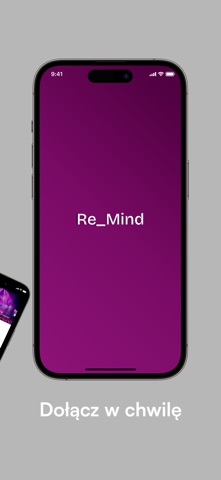
Sampled from 6 of Re_Mind's App Store screenshots — background, accent and theme, measured by LaunchShots (not something Apple publishes).
#B4B4B4 bg
#9E9E9E
#7C0C6C accent
#111111 text
Screenshots



Icon palette
About this app
Bądź częścią największego wydarzenia psychologicznego w Polsce. Re_Mind to międzynarodowy kongres psychologiczny organizowany przez Uniwersytet SWPS we współpracy z Miastem Wrocław i Telewizją Polską. To wyjątkowe wydarzenie łączy świat nauki, biznesu, kultury i mediów, tworząc przestrzeń do rozmowy o zdrowiu psychicznym, dobrostanie i wyzwaniach współczesnego świata. Aplikacja Re_Mind to Twój osobisty przewodnik po wydarzeniu. Dzięki niej zyskasz szybki dostęp do programu kongresu, informacji o prelegentach, map wydarzenia oraz najważniejszych aktualności. Wszystko w jednym miejscu – wygodnie i zawsze pod ręką. Przez trzy dni Wrocław stanie się centrum inspirujących spotkań, debat i wystąpień poświęconych psychologii, relacjom społecznym, emocjom, edukacji, technologii i przyszłości pracy. Wydarzenie odpowiada na realne wyzwania współczesnych organizacji i społeczeństwa – od kryzysu zd…
App details
What you can learn from Re_Mind
Every shipping app on the App Store has gone through the same decisions you're working through right now: which screenshot goes first, what caption sits over it, which device frame to show, what color the background should be. The 6 screenshots above are Re_Mind's answers to those questions — they're public, they're real, and they made it through Apple's review.
What the numbers say: Re_Mind runs a light set with one background colour (#B4B4B4) carried across every screenshot — the listing reads as a single poster when the shots sit side by side in search results. The accent colour we picked up, #7C0C6C, is the one to reuse for badges, arrows and highlighted words if you borrow this look. Hit Use this style to open the editor with these exact colours and drop your own screenshot in.
Notice the first screenshot in particular. It's the one users see in search results and on the product page, and it's where most apps spend their best caption and tightest design. Look at the proportion of background to phone, where the text sits, what one thing the image is trying to communicate.
Want to see how other Entertainment apps approach the same problem? Browse more Entertainment apps in the showcase.
Take what works into your own screenshots
Open LaunchShots and design your App Store & Google Play screenshots — pick a device frame, drop captions, ship in minutes. Free, in your browser.
Open the screenshot editor →Apps with a similar look
Closest background + accent colours among the listings we've analysed — useful when you want to see the same palette handled by a different team.