Chart position — tracked daily by LaunchShots
Screenshot changes — detected by LaunchShots
Screenshot style breakdown
Sampled from 6 of GLab — клиент для GitLab's App Store screenshots — background, accent and theme, measured by LaunchShots (not something Apple publishes).
#2C0C5C bg
#492E72
#FC842C accent
#FFFFFF text
Reading the caption text from the screenshots in your browser…
Screenshots




Icon palette
About this app
Ревьюйте, апрувьте и мерджите прямо с телефона — на gitlab.com или self-hosted GitLab вашей команды. GLab — быстрый нативный клиент для iPhone, для разработчиков, которые работают на ходу. Главный экран вы собираете сами: только та работа, которая ждёт именно вас. Работает с gitlab.com и любым self-hosted GitLab (CE и EE, 14.x+). Подключайте несколько инстансов и переключайтесь в одно касание. Вход в gitlab.com одним касанием; свой сервер и токен — по шагам. — ЧТО МОЖНО ДЕЛАТЬ — Главный экран под вас • До восьми модулей: ревью на вас, ваши MR, issues, todos, упавшие, активные и недавние пайплайны, недавние проекты • Каждая секция — списком или каруселью; состав, порядок и плотность настраиваются • Пресеты Developer, Reviewer и Lead / DevOps — экран под роль в одно касание • Строка состояния: сигналы, ждущие решения, офлайн и неотправленное • Свайпы прямо в списках: approve, merge, за…
App details
What you can learn from GLab — клиент для GitLab
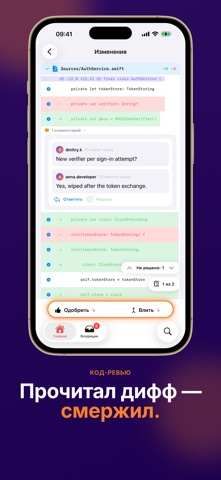
Every shipping app on the App Store has gone through the same decisions you're working through right now: which screenshot goes first, what caption sits over it, which device frame to show, what color the background should be. The 10 screenshots above are GLab — клиент для GitLab's answers to those questions — they're public, they're real, and they made it through Apple's review.
What the numbers say: GLab — клиент для GitLab runs a mixed light-and-dark set where the background shifts from screenshot to screenshot (first shot #2C0C5C) — each image has to stand on its own, so the captions carry more of the story. The accent colour we picked up, #FC842C, is the one to reuse for badges, arrows and highlighted words if you borrow this look. Hit Use this style to open the editor with these exact colours and drop your own screenshot in.
Notice the first screenshot in particular. It's the one users see in search results and on the product page, and it's where most apps spend their best caption and tightest design. Look at the proportion of background to phone, where the text sits, what one thing the image is trying to communicate.
Want to see how other Developer Tools apps approach the same problem? Browse more Developer Tools apps in the showcase.
Take what works into your own screenshots
Open LaunchShots and design your App Store & Google Play screenshots — pick a device frame, drop captions, ship in minutes. Free, in your browser.
Open the screenshot editor →Apps with a similar look
Closest background + accent colours among the listings we've analysed — useful when you want to see the same palette handled by a different team.