Screenshot style breakdown
Sampled from 5 of Klipz AI: AIショート動画作成's App Store screenshots — background, accent and theme, measured by LaunchShots (not something Apple publishes).
#040404 bg
#272727
#8C64DC accent
#FFFFFF text
Screenshots
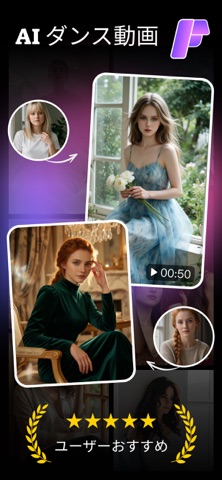


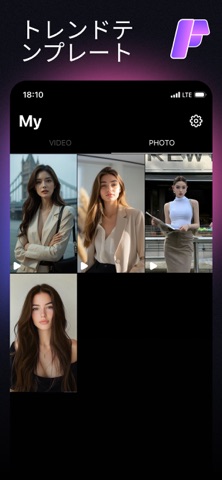
Icon palette
About this app
写真1枚から思わず目を引くAIショート動画を作成。編集経験は不要です。 クリエイターがKlipz AIを愛用する理由 Klipz AIは、1〜2枚の写真を、SNSフィードで映えるように設計されたAIテンプレートで洗練されたショート動画に変換します。スタイルを選んで写真をドロップするだけで、AIがモーション、トランジション、スタイリングを自動処理。数分のセットアップで、何時間もかけて作ったような仕上がりに。 編集初心者向けに設計 カット、キーフレーム、カラーグレーディングの知識は不要。すべてのテンプレートはモーションデザイナーが事前に制作し、AIが裏側で処理します。初めての利用でも、毎回安定した高品質の出力が得られます。 成長し続けるライブラリ Klipz AIは、ファッション編集、変身トランジション、ダンスシーン、シネマティックポートレート、アニメ風編集、グループ写真アニメーションなど、トレンドカテゴリに新テンプレートを定期追加。今週流行りのスタイルもアプリ内で見つかります。 機能の充実度 スマート写真→動画AI 写真をアップ…
App details
What you can learn from Klipz AI: AIショート動画作成
Every shipping app on the App Store has gone through the same decisions you're working through right now: which screenshot goes first, what caption sits over it, which device frame to show, what color the background should be. The 5 screenshots above are Klipz AI: AIショート動画作成's answers to those questions — they're public, they're real, and they made it through Apple's review.
What the numbers say: Klipz AI: AIショート動画作成 runs a dark set with one background colour (#040404) carried across every screenshot — the listing reads as a single poster when the shots sit side by side in search results. The accent colour we picked up, #8C64DC, is the one to reuse for badges, arrows and highlighted words if you borrow this look. Hit Use this style to open the editor with these exact colours and drop your own screenshot in.
Notice the first screenshot in particular. It's the one users see in search results and on the product page, and it's where most apps spend their best caption and tightest design. Look at the proportion of background to phone, where the text sits, what one thing the image is trying to communicate.
Want to see how other Photo & Video apps approach the same problem? Browse more Photo & Video apps in the showcase.
Take what works into your own screenshots
Open LaunchShots and design your App Store & Google Play screenshots — pick a device frame, drop captions, ship in minutes. Free, in your browser.
Open the screenshot editor →Apps with a similar look
Closest background + accent colours among the listings we've analysed — useful when you want to see the same palette handled by a different team.