Screenshot changes — detected by LaunchShots
Screenshot style breakdown
Sampled from 5 of 无疆摩托's App Store screenshots — background, accent and theme, measured by LaunchShots (not something Apple publishes).
#FCFCFC bg
#DDDDDD
#FC5404 accent
#111111 text
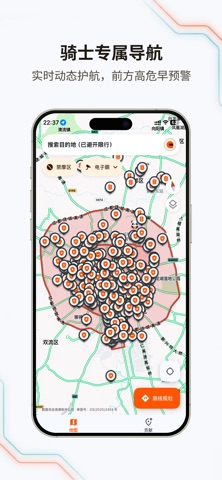
- #21 小 时 3 分 0 电子 眼 26728
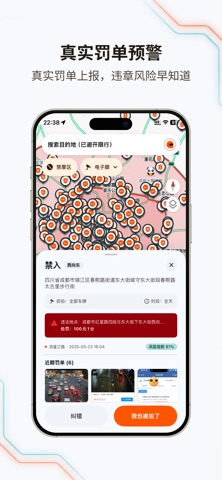
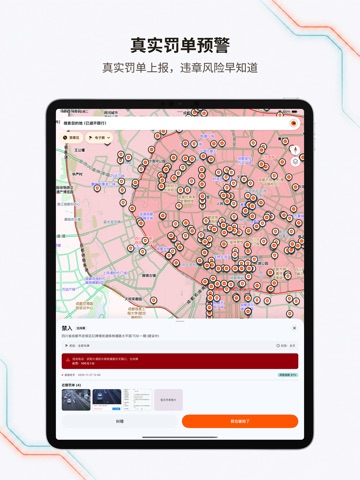
- #3近期 罚单 (6)
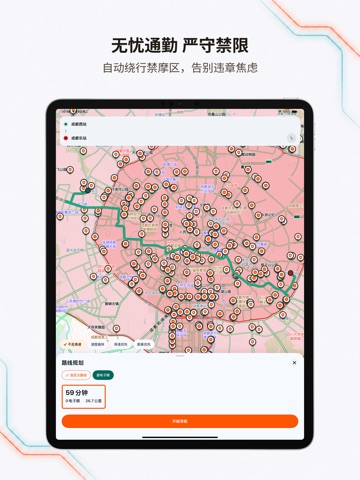
- #46 小 时 45 分 | 7 小 时 2 分 0 电子 眼 3384. 2 电子 眼 361.7 公 里
- #5ov 不 走高 速 速度 最 快 高 速 优先 3 距离 优先 路 线 规划 x
Captions read from the screenshots (OCR, may contain small errors): 4 headlines, 12.5 words on average (longest 21).
Screenshots



iPad screenshots


Icon palette
About this app
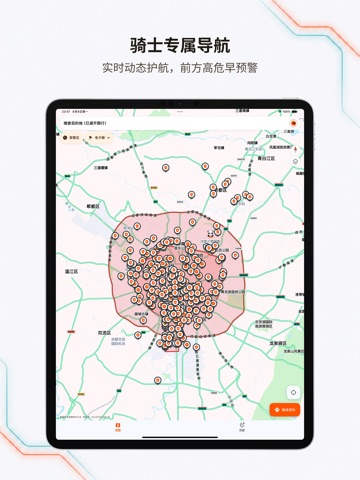
无疆摩托,专为两轮骑士打造的合规骑行导航。独家「禁摩区 +电子眼」双重智能规避,广泛覆盖全国主要城市摩托车禁限行区域、高架桥与隧道限制路段——彻底告别汽车导航"误入禁行区"的尴尬,让每一次拧动油门都从容合规。 无论你是每日穿梭城市的通勤骑士,热爱追寻旷野的摩旅老炮,还是路况尚不熟悉的新手机车党,无疆都能为你提供精准、合规、流畅的骑行路线。 ◆ 专属机车路线规划,告别限行焦虑 广泛覆盖全国摩托车禁限行区域、高架及隧道限制空间数据。支持"躲避拥堵、不走高速、少收费"等多种策略,特色智能推荐模式为你精准避开复杂与违章多发路段,规划真正 符合机车出行政策的绿色合规路线。 ◆ 多维路况预警,贴身智能电子狗 集成实时路况感知能力,基于海量车友真实反馈与众包大数据,提前播报沿途限速、测速及高风险路段。智能五星级路线评分体系,助你远离不必要的违章风险,守护你的驾照 分数与钱包。 ◆ 高精度 3D 骑行地图,流畅不迷路 先进 3D 地图引擎,日/夜间模式无缝切换,降低夜骑眩光。自由、跟随、罗盘三种定位模式随心切换,复杂城市立交或偏…
App details
What you can learn from 无疆摩托
Every shipping app on the App Store has gone through the same decisions you're working through right now: which screenshot goes first, what caption sits over it, which device frame to show, what color the background should be. The 10 screenshots above are 无疆摩托's answers to those questions — they're public, they're real, and they made it through Apple's review.
What the numbers say: 无疆摩托 runs a light set with one background colour (#FCFCFC) carried across every screenshot — the listing reads as a single poster when the shots sit side by side in search results. The accent colour we picked up, #FC5404, is the one to reuse for badges, arrows and highlighted words if you borrow this look. Hit Use this style to open the editor with these exact colours and drop your own screenshot in.
Notice the first screenshot in particular. It's the one users see in search results and on the product page, and it's where most apps spend their best caption and tightest design. Look at the proportion of background to phone, where the text sits, what one thing the image is trying to communicate.
Want to see how other Navigation apps approach the same problem? Browse more Navigation apps in the showcase.
Take what works into your own screenshots
Open LaunchShots and design your App Store & Google Play screenshots — pick a device frame, drop captions, ship in minutes. Free, in your browser.
Open the screenshot editor →Apps with a similar look
Closest background + accent colours among the listings we've analysed — useful when you want to see the same palette handled by a different team.