Chart position — tracked daily by LaunchShots
Screenshot style breakdown
Sampled from 4 of 飞牛音乐's App Store screenshots — background, accent and theme, measured by LaunchShots (not something Apple publishes).
#FC345C bg
#FC5072
#9C2C14 accent
#FFFFFF text
Reading the caption text from the screenshots in your browser…
Screenshots



iPad screenshots


Icon palette
About this app
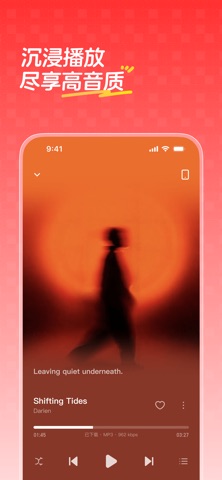
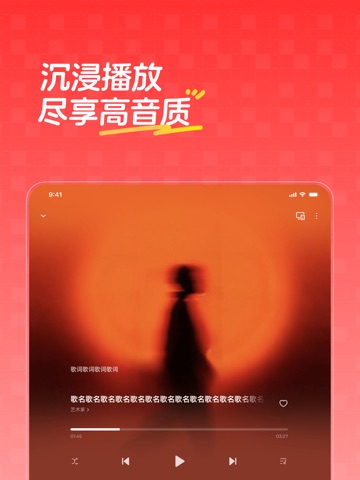
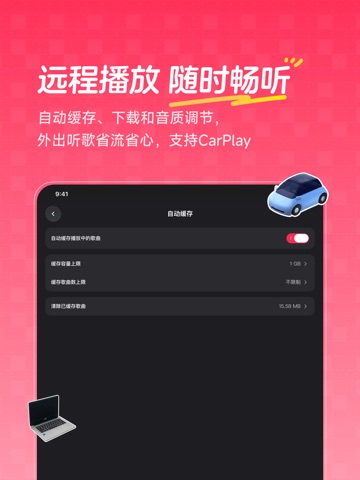
飞牛音乐是由飞牛 fnOS 出品的一款免费、易用且强大的音乐应用,它能够帮助你在 NAS 上轻松搭建私人音乐库。 飞牛音乐 App 是飞牛音乐专属配套的 App,让爱音乐的你随时随地自在畅听。 【音乐聚合,智能整理】 聚合 NAS 本地、网盘及远程设备中的音乐,自动刮削歌曲信息、匹配封面与歌词,轻松打造完整有序的个人曲库。 【多种模式,听你想听】 支持按专辑、歌手、风格分类和搜索,也可通过歌单与音乐漫游,轻松找到想听的音乐。 【沉浸播放,尽享高音质】 支持 DSD、DTS 等多种音频格式无损播放和整轨 CUE 识别,配合精致播放界面与 LRC 歌词,带来沉浸式听歌体验。 【独立账号,专属 App】 支持 NAS 账号和音乐独立账号两种方式,搭配独立手机 App,与家人朋友共享更方便、更安全。 【随时随地,畅听音乐】 支持远程播放、自动缓存和歌曲下载,可根据网络环境自动切换音质,并支持 Carplay,外出听歌省流又省心。 —————— 关注公众号:飞牛fnOS ,了解更多最新消息 商务合作,添加微信号:fn_business 官网:www.fnnas.com,更全面了解飞牛音乐、飞牛 fnOS
App details
What you can learn from 飞牛音乐
Every shipping app on the App Store has gone through the same decisions you're working through right now: which screenshot goes first, what caption sits over it, which device frame to show, what color the background should be. The 8 screenshots above are 飞牛音乐's answers to those questions — they're public, they're real, and they made it through Apple's review.
What the numbers say: 飞牛音乐 runs a dark set where the background shifts from screenshot to screenshot (first shot #FC345C) — each image has to stand on its own, so the captions carry more of the story. The accent colour we picked up, #9C2C14, is the one to reuse for badges, arrows and highlighted words if you borrow this look. Hit Use this style to open the editor with these exact colours and drop your own screenshot in.
Notice the first screenshot in particular. It's the one users see in search results and on the product page, and it's where most apps spend their best caption and tightest design. Look at the proportion of background to phone, where the text sits, what one thing the image is trying to communicate.
Want to see how other Music apps approach the same problem? Browse more Music apps in the showcase.
Take what works into your own screenshots
Open LaunchShots and design your App Store & Google Play screenshots — pick a device frame, drop captions, ship in minutes. Free, in your browser.
Open the screenshot editor →Apps with a similar look
Closest background + accent colours among the listings we've analysed — useful when you want to see the same palette handled by a different team.