Screenshot changes — detected by LaunchShots
Screenshot style breakdown
Sampled from 5 of ハラスメントーク|あなたのヤバい発言をトークで診断's App Store screenshots — background, accent and theme, measured by LaunchShots (not something Apple publishes).
#0C0C14 bg
#2E2E34
#FC3C6C accent
#FFFFFF text
Reading the caption text from the screenshots in your browser…
Screenshots

Icon palette
About this app
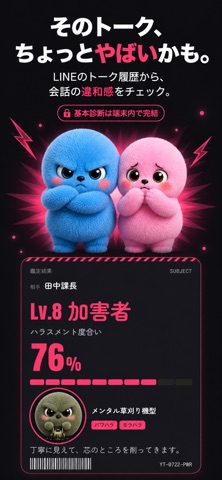
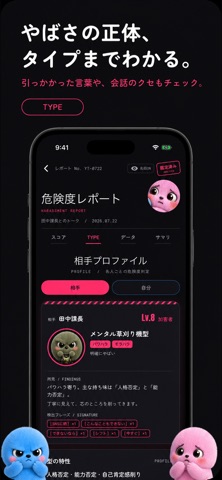
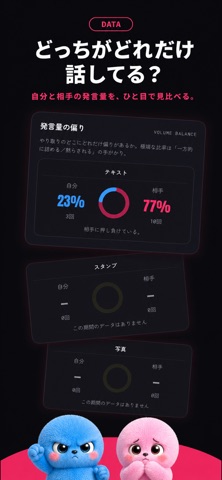
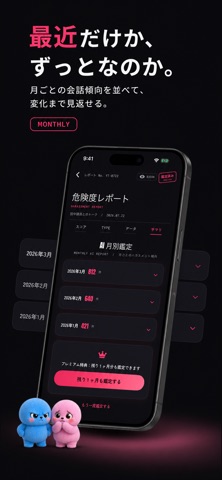
あのトーク、やばくない? そのトーク診断しませんか ハラスメントーク は、トーク履歴(テキスト)を読み込むだけで、パワハラ・セクハラ・モラハラ・その他ハラスメントの傾向を分析するアプリです。 「これってハラスメントなの?」と感じたとき、まず毒見にかけてみてください。 ■ こんなことができます ・トーク履歴をインポートするだけで自動診断 ・パワハラ / セクハラ / モラハラ / その他の4大分類でスコア化 ・「やばさ」を数値とタイプ名で可視化(端末内処理・トーク本文はサーバに送信しません) ・掲示板で同じ境遇の人と体験をシェア、ぶっちゃけ相談も可能 ・AI 相談(任意・同意制): 気になる箇所を AI に相談できます ■ 診断の仕組み 18 種類の構成要素(優位性・人格否定・境界線侵害・ガスライティングなど)をルールベースで検出し、4 大分類ごとのスコアと根拠引用を提示します。診断結果は法的判断ではなく、あくまでテキスト構造の分析です。専門家への相談を代替するものではありません。 ■ AI 相談機能について(任意) 相談機能…
App details
What you can learn from ハラスメントーク|あなたのヤバい発言をトークで診断
Every shipping app on the App Store has gone through the same decisions you're working through right now: which screenshot goes first, what caption sits over it, which device frame to show, what color the background should be. The 5 screenshots above are ハラスメントーク|あなたのヤバい発言をトークで診断's answers to those questions — they're public, they're real, and they made it through Apple's review.
What the numbers say: ハラスメントーク|あなたのヤバい発言をトークで診断 runs a dark set with one background colour (#0C0C14) carried across every screenshot — the listing reads as a single poster when the shots sit side by side in search results. The accent colour we picked up, #FC3C6C, is the one to reuse for badges, arrows and highlighted words if you borrow this look. Hit Use this style to open the editor with these exact colours and drop your own screenshot in.
Notice the first screenshot in particular. It's the one users see in search results and on the product page, and it's where most apps spend their best caption and tightest design. Look at the proportion of background to phone, where the text sits, what one thing the image is trying to communicate.
Want to see how other Entertainment apps approach the same problem? Browse more Entertainment apps in the showcase.
Take what works into your own screenshots
Open LaunchShots and design your App Store & Google Play screenshots — pick a device frame, drop captions, ship in minutes. Free, in your browser.
Open the screenshot editor →Apps with a similar look
Closest background + accent colours among the listings we've analysed — useful when you want to see the same palette handled by a different team.