Screenshot style breakdown
Sampled from 4 of 幸运小萌宠-逃跑小羊's App Store screenshots — background, accent and theme, measured by LaunchShots (not something Apple publishes).
#040404 bg
#272727
#044C44 accent
#FFFFFF text
Screenshots
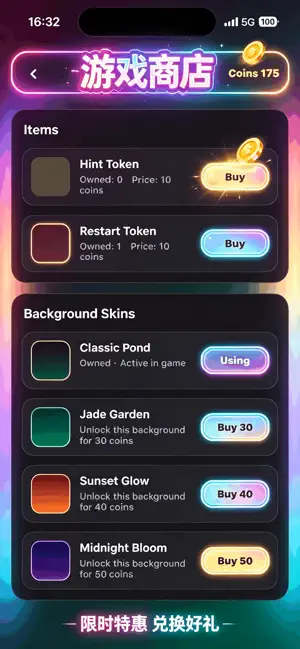

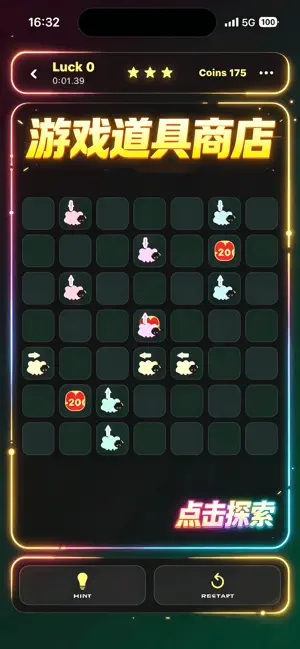

Icon palette
About this app
一款节奏舒缓的方向逻辑解谜游戏:轻点一只小羊,它就会沿着面朝的方向一路滑行,直到滑出边界、撞上别的小羊,或与同色小羊相遇触发清脆的连锁消除。每一次点击都像在“摆放顺序”,你需要用最简单的规则推导出最聪明的解法——没有倒计时催促,只有安静、专注,以及解开谜题时的满足感。 在关卡模式中,你将逐步挑战由不同布局组成的棋盘。想更放松?你还可以进入 Infinity 模式,体验持续生成的全新谜题。无论是通勤碎片时间,还是睡前放空片刻,都能在这片小小的池塘里找到轻松、治愈的思考乐趣。 为了让游戏更有成长与收集体验,《逃跑小羊》加入了金币、道具、皮肤与长期运营系统: - 商店:购买提示道具与限定背景皮肤,随时切换不同主题氛围 - 道具库存:已购买道具会在游戏内显示数量,使用时优先消耗库存 - 签到奖励:每日签到领取金币与成长资源 - 回归福利:离线一段时间回归可获得专属礼包与限时任务 - 节日活动:在特定节日开放主题内容与限定外观,完成任务获取奖励 - 等级成长:游玩与完成任务获取经验,升级解锁固定奖励与特权 - 限时排行榜…
App details
What you can learn from 幸运小萌宠-逃跑小羊
Every shipping app on the App Store has gone through the same decisions you're working through right now: which screenshot goes first, what caption sits over it, which device frame to show, what color the background should be. The 4 screenshots above are 幸运小萌宠-逃跑小羊's answers to those questions — they're public, they're real, and they made it through Apple's review.
What the numbers say: 幸运小萌宠-逃跑小羊 runs a dark set with one background colour (#040404) carried across every screenshot — the listing reads as a single poster when the shots sit side by side in search results. The accent colour we picked up, #044C44, is the one to reuse for badges, arrows and highlighted words if you borrow this look. Hit Use this style to open the editor with these exact colours and drop your own screenshot in.
Notice the first screenshot in particular. It's the one users see in search results and on the product page, and it's where most apps spend their best caption and tightest design. Look at the proportion of background to phone, where the text sits, what one thing the image is trying to communicate.
Want to see how other Games apps approach the same problem? Browse more Games apps in the showcase.
Take what works into your own screenshots
Open LaunchShots and design your App Store & Google Play screenshots — pick a device frame, drop captions, ship in minutes. Free, in your browser.
Open the screenshot editor →Apps with a similar look
Closest background + accent colours among the listings we've analysed — useful when you want to see the same palette handled by a different team.