Screenshot changes — detected by LaunchShots
Screenshot style breakdown
Sampled from 5 of 38-0: Football Draft's App Store screenshots — background, accent and theme, measured by LaunchShots (not something Apple publishes).
#141C0C bg
#343B2E
#04BC7C accent
#FFFFFF text
Screenshots


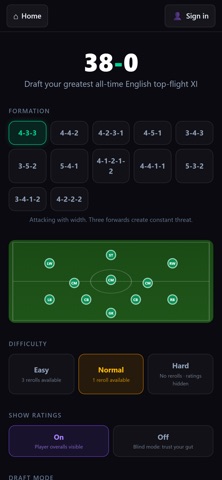


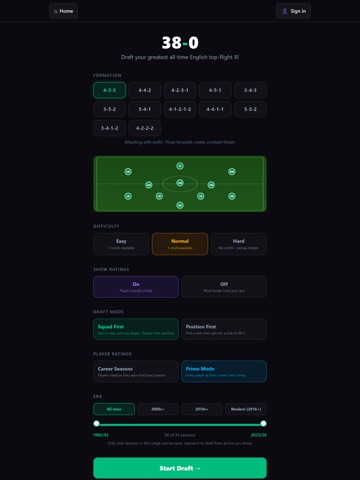
iPad screenshots



Icon palette
About this app
Welcome to 38-0, the football draft game built on one question: can you go a whole season unbeaten? Can you do it on a rainy night in Stoke? Spin the wheel, draft an all-time English top-flight XI from every era, then simulate a full 38-game season and see how far your team can go. Casual fan or armchair analyst, the prize is the same: played 38, won the lot. 38-0. EUROPEAN NIGHTS: DRAFT Thirty-six of Europe's clubs, eleven spins, one XI. Sign a player from whichever club the draw hands you, do it eleven times, then take that team into the league phase and on into the knockouts. A club can come up more than once, so the draw decides as much as you do. Play it on your own, or against your mates in a live room where the result comes back with the full table, the head to heads and every XI in the room. THE 2026/27 SEASON IS IN This year's squads have joined the pool. Every side from the…
App details
What you can learn from 38-0: Football Draft
Every shipping app on the App Store has gone through the same decisions you're working through right now: which screenshot goes first, what caption sits over it, which device frame to show, what color the background should be. The 10 screenshots above are 38-0: Football Draft's answers to those questions — they're public, they're real, and they made it through Apple's review.
What the numbers say: 38-0: Football Draft runs a dark set with one background colour (#141C0C) carried across every screenshot — the listing reads as a single poster when the shots sit side by side in search results. The accent colour we picked up, #04BC7C, is the one to reuse for badges, arrows and highlighted words if you borrow this look. Hit Use this style to open the editor with these exact colours and drop your own screenshot in.
Notice the first screenshot in particular. It's the one users see in search results and on the product page, and it's where most apps spend their best caption and tightest design. Look at the proportion of background to phone, where the text sits, what one thing the image is trying to communicate.
Want to see how other Games apps approach the same problem? Browse more Games apps in the showcase.
Take what works into your own screenshots
Open LaunchShots and design your App Store & Google Play screenshots — pick a device frame, drop captions, ship in minutes. Free, in your browser.
Open the screenshot editor →Apps with a similar look
Closest background + accent colours among the listings we've analysed — useful when you want to see the same palette handled by a different team.