Screenshot style breakdown
Sampled from 6 of Tsumorin やったツモリをビデオ通話で見せ合い's App Store screenshots — background, accent and theme, measured by LaunchShots (not something Apple publishes).
#FCFCFC bg
#DDDDDD
#F42424 accent
#111111 text
Screenshots




Icon palette
About this app
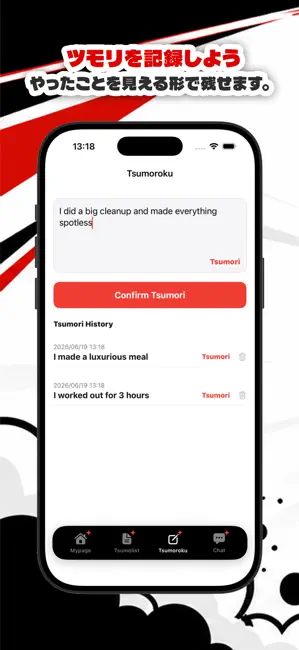
「ツモリ」とは? 「勉強したツモリ」「早起きしたツモリ」「運動したツモリ」 本当はやっていないのに、つい自分に言い聞かせてしまう"やったツモリ"。 誰にでもある、ちょっとした自己ごまかし。それが「ツモリ」です。 Tsumorin(ツモリン)は、その「ツモリ」をあえて記録して見える化するアプリです。 やったことにして積み上げていくと、ツモリの山がだんだん育っていきます。 山が大きくなるほど「あ、これ本当にやらなきゃ…」と効いてくる。 さらに、同じツモリ仲間とビデオ通話やチャットで話すことでやる気をもらえます。 それが、次の一歩のきっかけに! 小さな「ツモリ」を、見える形に。 頭の中の"ツモリ"は、書き出さないとすぐに消えてしまいます。 三日坊主で終わることも、ツモリが見えると、新たな気づきが。 ■ ツモリを記録しよう 「ツモロク」タブから、今日のツモリをサッと記録。 やったツモリが"見える形"になるから、 昨日の自分・先週の自分をいつでも振り返れます。 日付や時間も自動で保存。いつ記録したかが一目でわ…
App details
What you can learn from Tsumorin やったツモリをビデオ通話で見せ合い
Every shipping app on the App Store has gone through the same decisions you're working through right now: which screenshot goes first, what caption sits over it, which device frame to show, what color the background should be. The 6 screenshots above are Tsumorin やったツモリをビデオ通話で見せ合い's answers to those questions — they're public, they're real, and they made it through Apple's review.
What the numbers say: Tsumorin やったツモリをビデオ通話で見せ合い runs a mixed light-and-dark set where the background shifts from screenshot to screenshot (first shot #FCFCFC) — each image has to stand on its own, so the captions carry more of the story. The accent colour we picked up, #F42424, is the one to reuse for badges, arrows and highlighted words if you borrow this look. Hit Use this style to open the editor with these exact colours and drop your own screenshot in.
Notice the first screenshot in particular. It's the one users see in search results and on the product page, and it's where most apps spend their best caption and tightest design. Look at the proportion of background to phone, where the text sits, what one thing the image is trying to communicate.
Want to see how other Entertainment apps approach the same problem? Browse more Entertainment apps in the showcase.
Take what works into your own screenshots
Open LaunchShots and design your App Store & Google Play screenshots — pick a device frame, drop captions, ship in minutes. Free, in your browser.
Open the screenshot editor →Apps with a similar look
Closest background + accent colours among the listings we've analysed — useful when you want to see the same palette handled by a different team.