Screenshot changes — detected by LaunchShots
Screenshot style breakdown
Sampled from 5 of RYV's App Store screenshots — background, accent and theme, measured by LaunchShots (not something Apple publishes).
#040404 bg
#272727
#043C64 accent
#FFFFFF text
Reading the caption text from the screenshots in your browser…
Screenshots



Icon palette
About this app
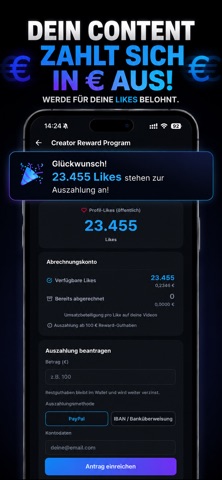
RYV – Raise Your Voice. Deine Stimme zählt. RYV ist die Plattform für alle, die etwas zu sagen haben. Teile Videos, Fotos und Podcasts – und werde Teil einer Community, in der echte Meinungen, Freiheit und Respekt im Mittelpunkt stehen. 72 STUNDEN – DANN WEG Jedes Video verschwindet nach 72 Stunden aus dem Feed. Kein ewiges Archiv fremder Blicke, kein Druck auf Perfektion. Was zählt, ist der Moment – authentisch und echt. DEIN PRIVATES ARCHIV Deine eigenen Videos gehen nicht verloren: Sie wandern automatisch in dein privates Archiv, auf das nur du Zugriff hast. PODCASTS Erzähle Geschichten, führe Gespräche, teile Wissen – Podcasts auf RYV bleiben dauerhaft verfügbar und sind bis zu 6 Stunden lang. DUETTE Reagiere direkt auf Videos anderer Creator – Seite an Seite. So entstehen echte Debatten und neue Perspektiven. VERDIENE MIT JEDEM LIKE RYV belohnt dich für deinen Content: Als Cr…
App details
What you can learn from RYV
Every shipping app on the App Store has gone through the same decisions you're working through right now: which screenshot goes first, what caption sits over it, which device frame to show, what color the background should be. The 5 screenshots above are RYV's answers to those questions — they're public, they're real, and they made it through Apple's review.
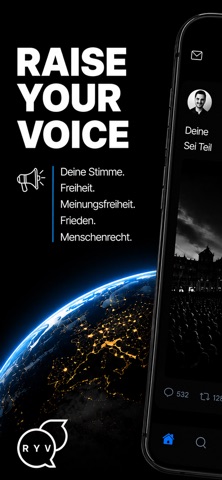
What the numbers say: RYV runs a dark set with one background colour (#040404) carried across every screenshot — the listing reads as a single poster when the shots sit side by side in search results. The accent colour we picked up, #043C64, is the one to reuse for badges, arrows and highlighted words if you borrow this look. Hit Use this style to open the editor with these exact colours and drop your own screenshot in.
Notice the first screenshot in particular. It's the one users see in search results and on the product page, and it's where most apps spend their best caption and tightest design. Look at the proportion of background to phone, where the text sits, what one thing the image is trying to communicate.
Want to see how other Social Networking apps approach the same problem? Browse more Social Networking apps in the showcase.
Take what works into your own screenshots
Open LaunchShots and design your App Store & Google Play screenshots — pick a device frame, drop captions, ship in minutes. Free, in your browser.
Open the screenshot editor →Apps with a similar look
Closest background + accent colours among the listings we've analysed — useful when you want to see the same palette handled by a different team.