Chart position — tracked daily by LaunchShots
Screenshot style breakdown
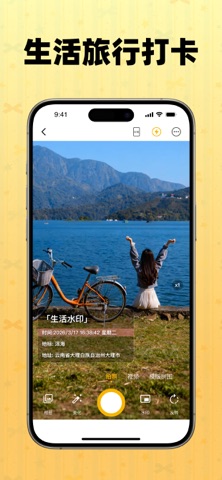
Sampled from 5 of 水印相机-时间地点和工作水印,相机证明记录's App Store screenshots — background, accent and theme, measured by LaunchShots (not something Apple publishes).
#FCCC64 bg
#DDB358
#845C44 accent
#111111 text
Screenshots



Icon palette
About this app
随手拍摄留存画面,精准定格每一段真实可查的时光印记。 水印相机,自带时间、地点、工作专属水印,兼顾日常出行与随心拍摄,是专为高效记录打造的专业拍照工具。软件内置丰富全覆盖水印样式与多样实用功能,不管是职场工作留档,还是日常点滴记录,都能一键拍出附带完整信息的标准照片,让记录省心便捷、内容真实有据。 核心功能 1. 全品类水印模板 职场专属水印适配上班打卡、执勤巡检、工程作业、设备检修、园区管理、外出办公等各类工作场景,标准化留存工作影像,方便事后核对追溯。 生活百搭水印可满足出游打卡、日常抓拍、孩童成长、居家留念等拍摄需求,珍藏温馨美好画面,留住专属生活回忆。 2. 多元信息随心标注 可灵活添加拍摄时间、实时天气、精准位置、海拔高度、经纬坐标等地理气象数据,也能补充负责人信息、工作类目、心情标识,照片信息详实清晰,查阅一目了然。 3. 便捷实用拍摄工具 配备多款贴心辅助功能,优化整体拍摄体验;搭配多样创意拼图版式,快速组合多张影像素材,轻松制作工作汇报素材,有效提升日常办公效率。 【VIP会员】 - 付款:用…
App details
What you can learn from 水印相机-时间地点和工作水印,相机证明记录
Every shipping app on the App Store has gone through the same decisions you're working through right now: which screenshot goes first, what caption sits over it, which device frame to show, what color the background should be. The 5 screenshots above are 水印相机-时间地点和工作水印,相机证明记录's answers to those questions — they're public, they're real, and they made it through Apple's review.
What the numbers say: 水印相机-时间地点和工作水印,相机证明记录 runs a light set with one background colour (#FCCC64) carried across every screenshot — the listing reads as a single poster when the shots sit side by side in search results. The accent colour we picked up, #845C44, is the one to reuse for badges, arrows and highlighted words if you borrow this look. Hit Use this style to open the editor with these exact colours and drop your own screenshot in.
Notice the first screenshot in particular. It's the one users see in search results and on the product page, and it's where most apps spend their best caption and tightest design. Look at the proportion of background to phone, where the text sits, what one thing the image is trying to communicate.
Want to see how other Photo & Video apps approach the same problem? Browse more Photo & Video apps in the showcase.
Take what works into your own screenshots
Open LaunchShots and design your App Store & Google Play screenshots — pick a device frame, drop captions, ship in minutes. Free, in your browser.
Open the screenshot editor →Apps with a similar look
Closest background + accent colours among the listings we've analysed — useful when you want to see the same palette handled by a different team.