Screenshots


iPad screenshots



Icon palette
About this app
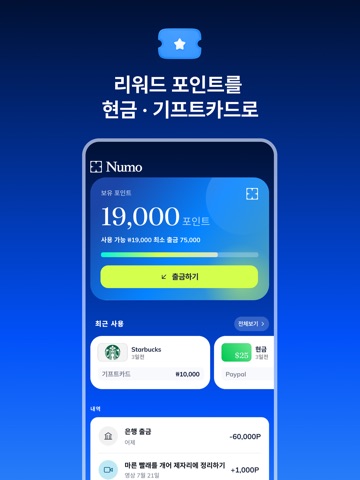
일상의 순간을 더 가치 있는 데이터로 만들어보세요. 누모에서는 사진, 영상, 음성 녹음과 다양한 데이터 수집 미션에 참여하고, 승인된 결과물에 대해 리워드를 받을 수 있습니다. 일상적인 활동을 촬영하는 간단한 미션부터 전문적인 지식과 경험이 필요한 프로젝트까지, 나에게 맞는 미션을 직접 골라 참여해보세요. 누모, 이렇게 이용하세요 미션에 참여하고 리워드 받기 가이드에 따라 미션을 완료하면 검수 후 승인된 결과물에 대한 리워드가 지급됩니다. 스마트폰으로 간편하게 참여하기 사진 촬영, 영상 촬영, 음성 녹음 등 다양한 미션에 스마트폰으로 손쉽게 참여할 수 있습니다. 제출할 데이터 직접 선택하기 참여하기 전에 프로젝트의 촬영 조건과 제출 기준을 확인할 수 있습니다. 어떤 미션에 참여하고 무엇을 제출할지 직접 선택합니다. 원하는 시간에 참여하기 원하는 미션을 골라 나에게 편한 시간과 장소에서 진행할 수 있습니다. 더 나은 AI 개발에 기여하기 여러분이 제출한 데이터는 로보틱스, 음성 인식, 컴퓨터 비전, 언어 기술 등 다…
App details
What you can learn from 누모(Numo) - 데이터 기여하고 리워드받기
Every shipping app on the App Store has gone through the same decisions you're working through right now: which screenshot goes first, what caption sits over it, which device frame to show, what color the background should be. The 10 screenshots above are 누모(Numo) - 데이터 기여하고 리워드받기's answers to those questions — they're public, they're real, and they made it through Apple's review.
Notice the first screenshot in particular. It's the one users see in search results and on the product page, and it's where most apps spend their best caption and tightest design. Look at the proportion of background to phone, where the text sits, what one thing the image is trying to communicate.
Want to see how other Finance apps approach the same problem? Browse more Finance apps in the showcase.
Take what works into your own screenshots
Open LaunchShots and design your App Store & Google Play screenshots — pick a device frame, drop captions, ship in minutes. Free, in your browser.
Open the screenshot editor →