Chart position — tracked daily by LaunchShots
Screenshot changes — detected by LaunchShots
Screenshot style breakdown
Sampled from 6 of AI Security: Clean & Protect's App Store screenshots — background, accent and theme, measured by LaunchShots (not something Apple publishes).
#54DCEC bg
#49C1CF
#143CE4 accent
#111111 text
Screenshots


Icon palette
About this app
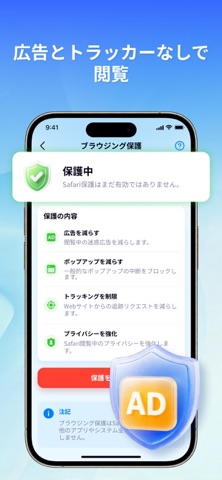
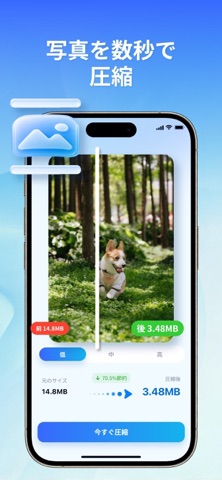
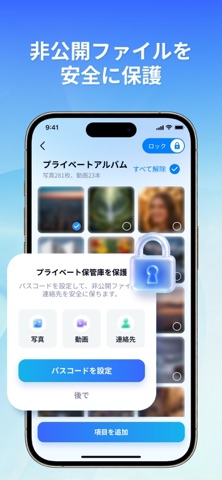
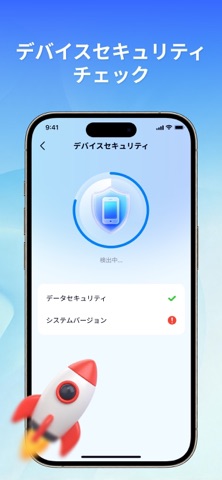
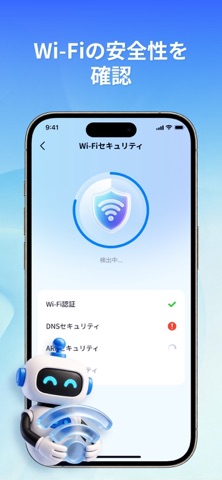
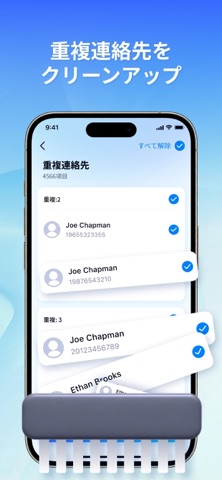
AI Securityは、スマートクリーニング、プライバシー保護、デバイスセキュリティを組み合わせたオールインワンのスマートフォン管理ツールです。単なるワンタップクリーナーではなく、あなたのデジタルライフを守る専用ガーディアンです。 写真やキャッシュが増えるとスマートフォンは遅くなり、公共Wi-Fiやアプリ権限はプライバシーリスクになります。AI Securityはローカルのインテリジェントエンジンで深度スキャンを行い、ワンタップで容量を解放しながら、端末の健康状態とデータを多面的に保護します。 主な機能: 1. セキュリティ - デバイス状態: CPU負荷、RAM使用量、ネットワーク速度をリアルタイム確認。 - 広告ブロッカー: Safari広告、ポップアップ、クロスサイト追跡をブロック。 - Wi-Fi保護: 接続中のWi-Fiをスキャンし、脅威や不正アクセスを確認。 - セキュリティチェック: システムやアプリの脆弱性を検出し、適時に警告。 - シークレットスペース: 個人コンテンツをパスワード保護の金庫に隠します。 2. クリーナー - 写真クリーナー: 重複写…
App details
What you can learn from AI Security: Clean & Protect
Every shipping app on the App Store has gone through the same decisions you're working through right now: which screenshot goes first, what caption sits over it, which device frame to show, what color the background should be. The 9 screenshots above are AI Security: Clean & Protect's answers to those questions — they're public, they're real, and they made it through Apple's review.
What the numbers say: AI Security: Clean & Protect runs a light set where the background shifts from screenshot to screenshot (first shot #54DCEC) — each image has to stand on its own, so the captions carry more of the story. The accent colour we picked up, #143CE4, is the one to reuse for badges, arrows and highlighted words if you borrow this look. Hit Use this style to open the editor with these exact colours and drop your own screenshot in.
Notice the first screenshot in particular. It's the one users see in search results and on the product page, and it's where most apps spend their best caption and tightest design. Look at the proportion of background to phone, where the text sits, what one thing the image is trying to communicate.
Want to see how other Utilities apps approach the same problem? Browse more Utilities apps in the showcase.
Take what works into your own screenshots
Open LaunchShots and design your App Store & Google Play screenshots — pick a device frame, drop captions, ship in minutes. Free, in your browser.
Open the screenshot editor →Apps with a similar look
Closest background + accent colours among the listings we've analysed — useful when you want to see the same palette handled by a different team.