Screenshots


Icon palette
About this app
Stay connected with the people who matter. SnapLo lets you share your real-time location with friends you invite and see each other on a live map — so you can coordinate, meet up, or just know everyone got there safely. Sharing is always consensual and fully under your control. LOCATION SHARING • Share with friends you invite — Connect using a simple invitation code, then see each other on a live map in real time. Sharing only happens between people who choose to connect. • You're always in control — Stop sharing, block a location, or remove a connection at any time. When you remove a connection, neither side can see the other anymore. • Consent first — SnapLo is built for consensual location sharing between people who know and trust each other. It does not track your location in the background (location is used only while the app is in use). • See it on the map — A clean map, powered …
App details
What you can learn from SnapLo: Location Sharing
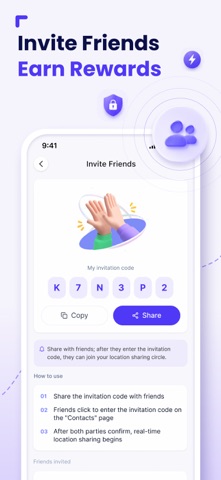
Every shipping app on the App Store has gone through the same decisions you're working through right now: which screenshot goes first, what caption sits over it, which device frame to show, what color the background should be. The 5 screenshots above are SnapLo: Location Sharing's answers to those questions — they're public, they're real, and they made it through Apple's review.
Notice the first screenshot in particular. It's the one users see in search results and on the product page, and it's where most apps spend their best caption and tightest design. Look at the proportion of background to phone, where the text sits, what one thing the image is trying to communicate.
Want to see how other Utilities apps approach the same problem? Browse more Utilities apps in the showcase.
Take what works into your own screenshots
Open LaunchShots and design your App Store & Google Play screenshots — pick a device frame, drop captions, ship in minutes. Free, in your browser.
Open the screenshot editor →