Screenshot changes — detected by LaunchShots
Screenshot style breakdown
Sampled from 5 of PixelForge - AI Art's App Store screenshots — background, accent and theme, measured by LaunchShots (not something Apple publishes).
#140C1C bg
#342E3B
#64144C accent
#FFFFFF text
Reading the caption text from the screenshots in your browser…
Screenshots


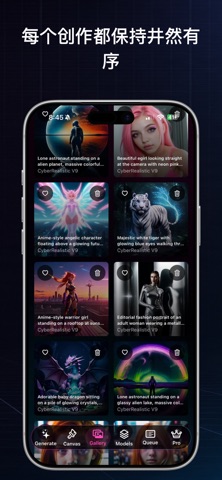

iPad screenshots


Icon palette
About this app
PixelForge 是一款适用于 iPhone 和 iPad 的私密 AI 图像创作工具。只需输入简单的文字提示,即可创作艺术作品、人像、动漫风格角色、壁纸、概念图,以及各种创意变体。 图像生成完全在您的设备上运行。不使用云端渲染,不上传提示词。您的提示词、图像、种子值和图库历史记录均仅存储在本机。 PixelForge 包含: - 私密的设备端 AI 图像生成 - 适用于写实、动漫和创意艺术风格的本地模型 - 提示词和负面提示词控制 - 带视觉预览的风格预设 - 批量生成,一次获得多个结果 - 内置图库,支持收藏、删除和历史记录保存 - 保存图像详细信息,包括提示词、种子值、模型、风格和设置 - 基于已有结果生成图像变体 - 画布局部重绘,可对照片遮罩区域进行编辑 - 用通俗语言说明设置技巧,帮助获得更好的生成效果 PixelForge 专为希望创作 AI 艺术、又不想把每个想法发送到服务器的创作者打造。您可以直接在设备上制作个人头像、角色概念、壁纸、参考图、照片风格场景,以及各种创意实验。 安装后可免费生成 10 张图像。此后,无限创作和高级功能需通过一次性应用内购买解…
App details
What you can learn from PixelForge - AI Art
Every shipping app on the App Store has gone through the same decisions you're working through right now: which screenshot goes first, what caption sits over it, which device frame to show, what color the background should be. The 10 screenshots above are PixelForge - AI Art's answers to those questions — they're public, they're real, and they made it through Apple's review.
What the numbers say: PixelForge - AI Art runs a dark set with one background colour (#140C1C) carried across every screenshot — the listing reads as a single poster when the shots sit side by side in search results. The accent colour we picked up, #64144C, is the one to reuse for badges, arrows and highlighted words if you borrow this look. Hit Use this style to open the editor with these exact colours and drop your own screenshot in.
Notice the first screenshot in particular. It's the one users see in search results and on the product page, and it's where most apps spend their best caption and tightest design. Look at the proportion of background to phone, where the text sits, what one thing the image is trying to communicate.
Want to see how other Graphics & Design apps approach the same problem? Browse more Graphics & Design apps in the showcase.
Take what works into your own screenshots
Open LaunchShots and design your App Store & Google Play screenshots — pick a device frame, drop captions, ship in minutes. Free, in your browser.
Open the screenshot editor →Apps with a similar look
Closest background + accent colours among the listings we've analysed — useful when you want to see the same palette handled by a different team.