Chart position — tracked daily by LaunchShots
Screenshot style breakdown
Sampled from 6 of 随行翻译 - 图片 & 语音翻译,多种语言翻译软件's App Store screenshots — background, accent and theme, measured by LaunchShots (not something Apple publishes).
#F4FCFC bg
#D6DDDD
#4CCCFC accent
#111111 text
Screenshots



Icon palette
About this app
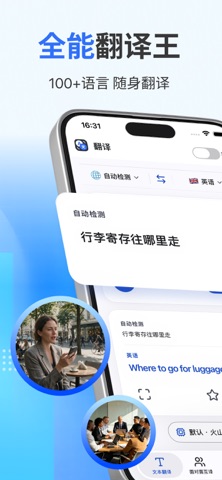
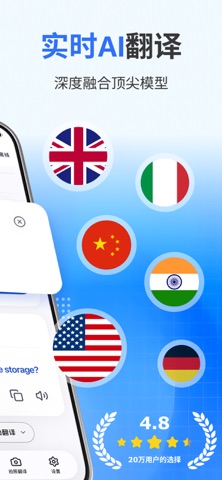
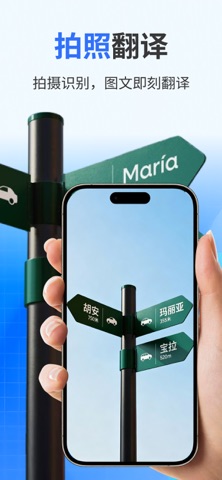
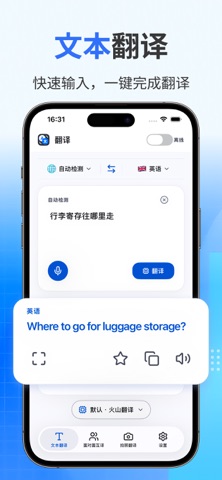
【翻译】(TranslateGo)是一款覆盖文字、语音、对话与图像的多场景翻译工具,帮助你在旅行、工作和学习中跨越语言差异,把想说的话和看到的内容顺畅地转换成对方能懂的表达。 文本即时翻译 输入或粘贴文字即可得到译文,支持 34 种语言互译,并可在多个翻译引擎之间切换,长句和短语都能从容处理。 语音开口即译 按下录音说话,语音会实时转写为文字并同步翻译,问路、点餐、临时沟通时无需低头打字。 面对面双向对话 上下镜像的双向界面让两个人共用一台设备自然交谈,各自看到朝向自己的那一半内容,来回对话不必反复传递手机。 拍照识别翻译 对准菜单、路牌或说明书拍摄,画面中的文字会被识别并转换成你熟悉的语言,异国街头也能快速读懂周围信息。 离线语言包 提前下载所需语种的离线包,在飞机、地铁或网络信号不佳的地方依然可以完成翻译,翻译记录会自动留存并支持收藏与检索。 从一句问候到一整页说明,把语言差异交给它处理,现在就下载体验吧。 若需解锁更多功能,可以选择升级高级账户 高级帐户定价和条款 $9.99/周* $39.99/年* *显示的…
App details
What you can learn from 随行翻译 - 图片 & 语音翻译,多种语言翻译软件
Every shipping app on the App Store has gone through the same decisions you're working through right now: which screenshot goes first, what caption sits over it, which device frame to show, what color the background should be. The 7 screenshots above are 随行翻译 - 图片 & 语音翻译,多种语言翻译软件's answers to those questions — they're public, they're real, and they made it through Apple's review.
What the numbers say: 随行翻译 - 图片 & 语音翻译,多种语言翻译软件 runs a light set with one background colour (#F4FCFC) carried across every screenshot — the listing reads as a single poster when the shots sit side by side in search results. The accent colour we picked up, #4CCCFC, is the one to reuse for badges, arrows and highlighted words if you borrow this look. Hit Use this style to open the editor with these exact colours and drop your own screenshot in.
Notice the first screenshot in particular. It's the one users see in search results and on the product page, and it's where most apps spend their best caption and tightest design. Look at the proportion of background to phone, where the text sits, what one thing the image is trying to communicate.
Want to see how other Business apps approach the same problem? Browse more Business apps in the showcase.
Take what works into your own screenshots
Open LaunchShots and design your App Store & Google Play screenshots — pick a device frame, drop captions, ship in minutes. Free, in your browser.
Open the screenshot editor →Apps with a similar look
Closest background + accent colours among the listings we've analysed — useful when you want to see the same palette handled by a different team.