Chart position — tracked daily by LaunchShots
Screenshot style breakdown
Sampled from 6 of ゴルフのラウンドを1打ごとに記録・分析|ショットレビュー's App Store screenshots — background, accent and theme, measured by LaunchShots (not something Apple publishes).
#F4F4EC bg
#D6D6CF
#E4B454 accent
#111111 text
Screenshots




Icon palette
About this app
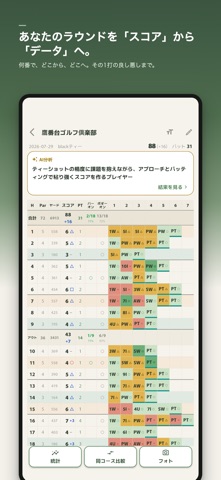
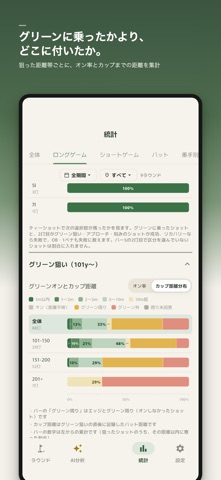
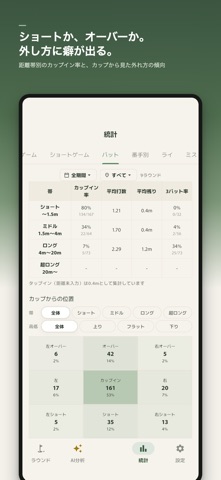
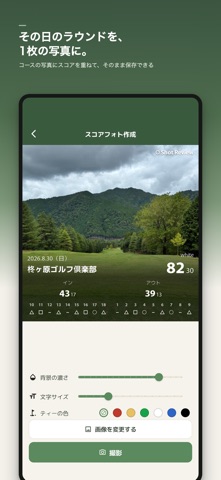
ラウンド中に、1打ごと。 使ったクラブと打った結果まで残すと、スコアを落としている原因が見えてきます。 ショットレビュー(Shot Review)は、コースでのプレーを1打ずつ記録し、統計とAI分析で振り返るためのアプリです。 スコアカードは「今日は85だった」ことを教えてくれます。でも、なぜ85だったのか。どこで落とし、どんなミスを繰り返したのかまでは残りません。ラウンドを結果だけで終わらせず、次の練習と次のラウンドにつながるデータとして残せます。 ■ 1打ごとのプレーを記録 使用クラブ、ショットの種類、打った所(ライ)、ピンまでの残り距離、評価、反省などを1打ずつ記録できます。 入力項目は自分で選べます。既定は統計に必要な項目がひととおり入った構成で、キーボードを使わずタップ中心で入力できるため、プレーの流れを妨げにくくなっています。もっと速く回したいときは項目を減らし、飛距離や風、傾斜、メモまで残したいときは増やせます。 「あのホールはダブルボギーだった」だけでなく、そこに至るまでのショットを後から振り…
App details
What you can learn from ゴルフのラウンドを1打ごとに記録・分析|ショットレビュー
Every shipping app on the App Store has gone through the same decisions you're working through right now: which screenshot goes first, what caption sits over it, which device frame to show, what color the background should be. The 8 screenshots above are ゴルフのラウンドを1打ごとに記録・分析|ショットレビュー's answers to those questions — they're public, they're real, and they made it through Apple's review.
What the numbers say: ゴルフのラウンドを1打ごとに記録・分析|ショットレビュー runs a mixed light-and-dark set where the background shifts from screenshot to screenshot (first shot #F4F4EC) — each image has to stand on its own, so the captions carry more of the story. The accent colour we picked up, #E4B454, is the one to reuse for badges, arrows and highlighted words if you borrow this look. Hit Use this style to open the editor with these exact colours and drop your own screenshot in.
Notice the first screenshot in particular. It's the one users see in search results and on the product page, and it's where most apps spend their best caption and tightest design. Look at the proportion of background to phone, where the text sits, what one thing the image is trying to communicate.
Want to see how other Sports apps approach the same problem? Browse more Sports apps in the showcase.
Take what works into your own screenshots
Open LaunchShots and design your App Store & Google Play screenshots — pick a device frame, drop captions, ship in minutes. Free, in your browser.
Open the screenshot editor →Apps with a similar look
Closest background + accent colours among the listings we've analysed — useful when you want to see the same palette handled by a different team.