Screenshot changes — detected by LaunchShots
Screenshot style breakdown
Sampled from 6 of DotWx 点阵天气's App Store screenshots — background, accent and theme, measured by LaunchShots (not something Apple publishes).
#F4ECEC bg
#D6CFCF
#74242C accent
#111111 text
Reading the caption text from the screenshots in your browser…
Screenshots



Icon palette
About this app
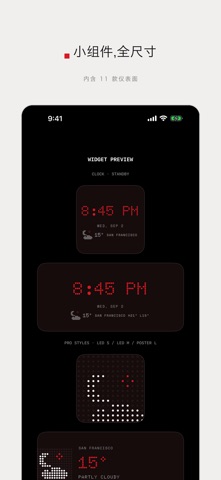
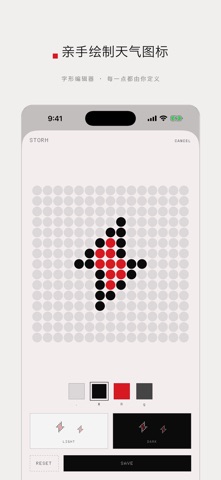
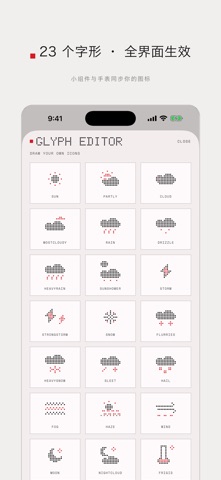
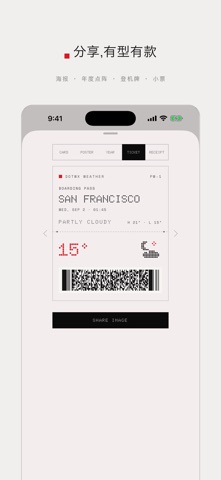
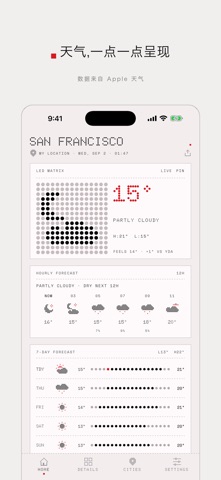
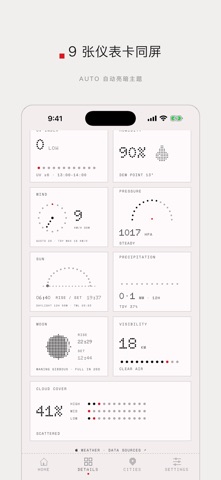
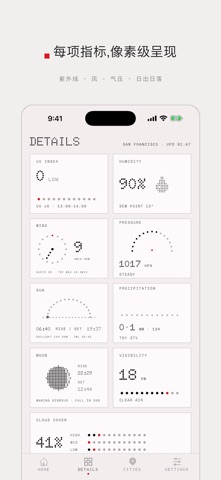
天气,一点一点呈现。DotWx 把 Apple 天气数据变成一台点阵 LED 仪器:无冗余、无广告、无账号——预报如硬件般呈现。 永久免费 • 当前天气、逐小时与 7 天预报(定位城市 + 2 个收藏城市) • 官方恶劣天气预警,应用内直接可见 • 降水前的雨警报通知 • 桌面小组件与可分享的天气卡片 • 9 种语言 DOTWX PRO —— 一次性买断 · 家人共享 · 无订阅 • 全部小组件:所有尺寸、锁屏、待机显示,以及仪表面:日轨 / 月相 / 风罗盘 / 气压走纸 • 多城市 LED 航班牌与待机床头点阵座钟 • 字形编辑器 —— 23 个天气图标逐点重绘,全部界面(含手表)即时生效 • Apple Watch:一屏天气、LED 座钟页与 7 款表盘复杂功能 • 灵动岛实时活动:降雨与日出倒计时 • 每日简报与恶劣天气通知 • 4 款分享模板:壁纸海报、年度点阵、登机牌、小票 • 无限城市、主题包(AMBER / CRT / E-INK)、自定义强调色、备选图标、多设备同步 天气数据由 Apple 天气提供。恶劣天气预警可用性因地区而异。
App details
What you can learn from DotWx 点阵天气
Every shipping app on the App Store has gone through the same decisions you're working through right now: which screenshot goes first, what caption sits over it, which device frame to show, what color the background should be. The 10 screenshots above are DotWx 点阵天气's answers to those questions — they're public, they're real, and they made it through Apple's review.
What the numbers say: DotWx 点阵天气 runs a light set with one background colour (#F4ECEC) carried across every screenshot — the listing reads as a single poster when the shots sit side by side in search results. The accent colour we picked up, #74242C, is the one to reuse for badges, arrows and highlighted words if you borrow this look. Hit Use this style to open the editor with these exact colours and drop your own screenshot in.
Notice the first screenshot in particular. It's the one users see in search results and on the product page, and it's where most apps spend their best caption and tightest design. Look at the proportion of background to phone, where the text sits, what one thing the image is trying to communicate.
Want to see how other Weather apps approach the same problem? Browse more Weather apps in the showcase.
Take what works into your own screenshots
Open LaunchShots and design your App Store & Google Play screenshots — pick a device frame, drop captions, ship in minutes. Free, in your browser.
Open the screenshot editor →Apps with a similar look
Closest background + accent colours among the listings we've analysed — useful when you want to see the same palette handled by a different team.