Chart position — tracked daily by LaunchShots
Screenshot style breakdown
Sampled from 6 of Solfe's App Store screenshots — background, accent and theme, measured by LaunchShots (not something Apple publishes).
#ECE4D4 bg
#CFC8BA
#4CB464 accent
#111111 text
Reading the caption text from the screenshots in your browser…
Screenshots



Icon palette
About this app
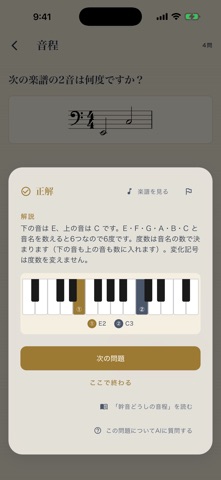
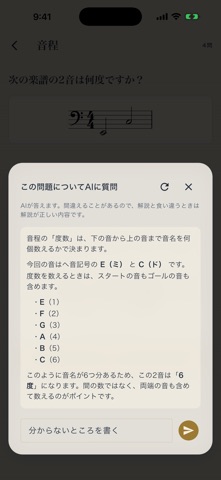
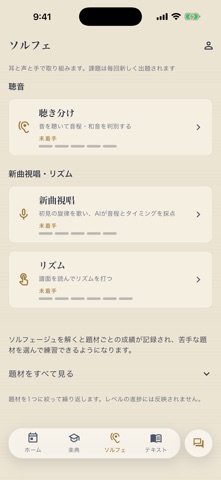
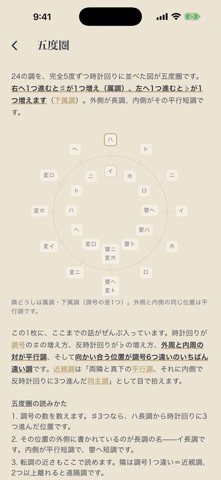
Solfe(ソルフェ)は、音楽の座学と実技をひとつにした学習アプリ。楽典と、聴音・視唱・リズムのソルフェージュを、あなたのペースで積み上げられます。 ◆ 楽典 — 全8カテゴリ・14,000問以上 音程・調号・音階・リズム・楽語・和音・移調・譜例分析。すべての問題に丁寧な解説付き。楽譜で問う問題は五線譜で出題され、解説には鍵盤図も表示されます。 ◆ ソルフェージュ — 終わらないトレーニング 聴音・新曲視唱・リズム。課題はその場で生成されるので、解き終わることがありません。新曲視唱は歌声を端末内で解析し、音程とリズムを採点します(歌声が端末の外に出ることはありません)。 ◆ AIに質問できる 解説を読んでも分からないとき、その問題についてそのまま質問できます。設問・正解・譜面の情報をふまえて答えます。 ◆ 今日の1問・今日の練習 ホームが今日やることを出します。楽典は、復習の期限が来た問題か、いま進めているレベルの続き。ソルフェージュは、声と音が出せるときの課題。何をやるか迷わず始められます。 ◆ 復習 — 間隔反復(SRS)…
App details
What you can learn from Solfe
Every shipping app on the App Store has gone through the same decisions you're working through right now: which screenshot goes first, what caption sits over it, which device frame to show, what color the background should be. The 7 screenshots above are Solfe's answers to those questions — they're public, they're real, and they made it through Apple's review.
What the numbers say: Solfe runs a mixed light-and-dark set where the background shifts from screenshot to screenshot (first shot #ECE4D4) — each image has to stand on its own, so the captions carry more of the story. The accent colour we picked up, #4CB464, is the one to reuse for badges, arrows and highlighted words if you borrow this look. Hit Use this style to open the editor with these exact colours and drop your own screenshot in.
Notice the first screenshot in particular. It's the one users see in search results and on the product page, and it's where most apps spend their best caption and tightest design. Look at the proportion of background to phone, where the text sits, what one thing the image is trying to communicate.
Want to see how other Education apps approach the same problem? Browse more Education apps in the showcase.
Take what works into your own screenshots
Open LaunchShots and design your App Store & Google Play screenshots — pick a device frame, drop captions, ship in minutes. Free, in your browser.
Open the screenshot editor →Apps with a similar look
Closest background + accent colours among the listings we've analysed — useful when you want to see the same palette handled by a different team.