Screenshot style breakdown
Sampled from 3 of 密码学数论's App Store screenshots — background, accent and theme, measured by LaunchShots (not something Apple publishes).
#FCFCFC bg
#DDDDDD
#EC6C74 accent
#111111 text
Screenshots
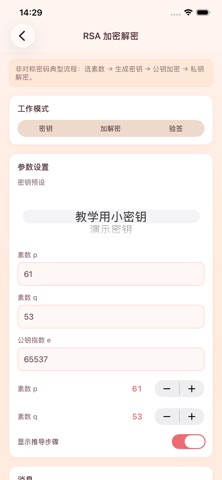


iPad screenshots


Icon palette
About this app
此应用功能分成几块:RSA 走一遍密钥生成、加密、解密;Diffie-Hellman 用 Alice/Bob 模拟密钥协商;离散对数支持暴力法和 BSGS 对比;原根模块能算模幂、找原根、看元素阶;同余实验室整合了扩展欧几里得、线性同余和中国剩余定理;素性检测有试除、费马和 Miller-Rabin,合数还会尝试分解;椭圆曲线部分做点验证、点加法和标量乘法。每个模块都配了常用参数预设,也支持手动输入和 Stepper 调参,结果可以复制或分享。 需要说明的是,这是教学向工具,参数规模 deliberately 控制在可手算、可观察的范围内。
App details
What you can learn from 密码学数论
Every shipping app on the App Store has gone through the same decisions you're working through right now: which screenshot goes first, what caption sits over it, which device frame to show, what color the background should be. The 6 screenshots above are 密码学数论's answers to those questions — they're public, they're real, and they made it through Apple's review.
What the numbers say: 密码学数论 runs a light set with one background colour (#FCFCFC) carried across every screenshot — the listing reads as a single poster when the shots sit side by side in search results. The accent colour we picked up, #EC6C74, is the one to reuse for badges, arrows and highlighted words if you borrow this look. Hit Use this style to open the editor with these exact colours and drop your own screenshot in.
Notice the first screenshot in particular. It's the one users see in search results and on the product page, and it's where most apps spend their best caption and tightest design. Look at the proportion of background to phone, where the text sits, what one thing the image is trying to communicate.
Want to see how other Education apps approach the same problem? Browse more Education apps in the showcase.
Take what works into your own screenshots
Open LaunchShots and design your App Store & Google Play screenshots — pick a device frame, drop captions, ship in minutes. Free, in your browser.
Open the screenshot editor →Apps with a similar look
Closest background + accent colours among the listings we've analysed — useful when you want to see the same palette handled by a different team.