Chart position — tracked daily by LaunchShots
Screenshot style breakdown
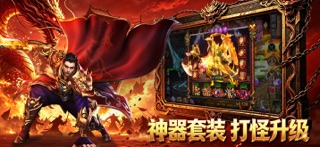
Sampled from 5 of 问鼎群雄's App Store screenshots — background, accent and theme, measured by LaunchShots (not something Apple publishes).
#2C0404 bg
#492727
#841C0C accent
#FFFFFF text
Screenshots




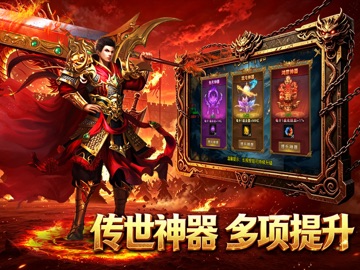
iPad screenshots




Icon palette
About this app
群雄争霸,超变无限刀传奇版本,诚心诚意对待每一位玩家! 全新超高爆率直购版本重磅登场! 【目标用户】上班族、散人、平民玩家,平民和氪金大佬差距极小,各式礼包打怪就能购买; 【品牌服】开局9999级,服务器人气长期火爆!精心打造超变大服! 玩法简介 1.打破付费壁垒,游戏内全部礼包均可通过玩法免费获取。 2.丰富副本、活动玩法持续产出直购币,海量等效真充福利免费发放。 3.神装打造材料不做绑定限制,支持自由流通交易,普通散人玩家,也可以积累资源实现战力飞跃,比肩氪金大佬。 4.游戏内置大量独创特色玩法,兼顾爽感与长线可玩性,不氪金也能体验完整游戏乐趣。
App details
What you can learn from 问鼎群雄
Every shipping app on the App Store has gone through the same decisions you're working through right now: which screenshot goes first, what caption sits over it, which device frame to show, what color the background should be. The 10 screenshots above are 问鼎群雄's answers to those questions — they're public, they're real, and they made it through Apple's review.
What the numbers say: 问鼎群雄 runs a dark set with one background colour (#2C0404) carried across every screenshot — the listing reads as a single poster when the shots sit side by side in search results. The accent colour we picked up, #841C0C, is the one to reuse for badges, arrows and highlighted words if you borrow this look. Hit Use this style to open the editor with these exact colours and drop your own screenshot in.
Notice the first screenshot in particular. It's the one users see in search results and on the product page, and it's where most apps spend their best caption and tightest design. Look at the proportion of background to phone, where the text sits, what one thing the image is trying to communicate.
Want to see how other Entertainment apps approach the same problem? Browse more Entertainment apps in the showcase.
Take what works into your own screenshots
Open LaunchShots and design your App Store & Google Play screenshots — pick a device frame, drop captions, ship in minutes. Free, in your browser.
Open the screenshot editor →Apps with a similar look
Closest background + accent colours among the listings we've analysed — useful when you want to see the same palette handled by a different team.