Screenshot style breakdown
Sampled from 6 of Mimio Games's App Store screenshots — background, accent and theme, measured by LaunchShots (not something Apple publishes).
#140C14 bg
#342E34
#B43CEC accent
#FFFFFF text
Screenshots
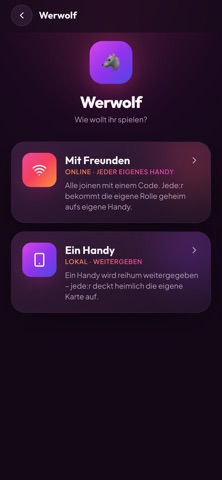


iPad screenshots


Icon palette
About this app
Mimio Games – Spiele, die zusammenbringen. Für einen guten Abend mit Freunden, im Team oder beim ersten Kennenlernen: Mimio Games bündelt viele Spiele für Gruppen an einem Ort. Zusammen an einem Handy oder jeder am eigenen – einfach das Handy schnappen und loslegen. Mit dabei: • SideQuest – kleine Aufgaben für gute Stimmung und Punkte • Imposter – findet heraus, wer das falsche Wort hat • Werwolf – das klassische Mystery-Spiel für die Gruppe • Speed Dating – Fragen zum echten Kennenlernen mit Timer • 2 Wahrheiten 1 Lüge – wie gut kennt ihr euch wirklich? • Storytime – errate, wem welche Geschichte gehört • Warme Dusche – verteilt anonym Komplimente und macht euch gegenseitig eine Freude • Wahrheit oder Pflicht, Ich hab noch nie und mehr Ob lockerer Spieleabend oder neue Leute kennenlernen – Mimio Games bringt euch ins Gespräch und näher zusammen. Ohne Konto, sofort startklar. Ein Pr…
App details
What you can learn from Mimio Games
Every shipping app on the App Store has gone through the same decisions you're working through right now: which screenshot goes first, what caption sits over it, which device frame to show, what color the background should be. The 12 screenshots above are Mimio Games's answers to those questions — they're public, they're real, and they made it through Apple's review.
What the numbers say: Mimio Games runs a mixed light-and-dark set where the background shifts from screenshot to screenshot (first shot #140C14) — each image has to stand on its own, so the captions carry more of the story. The accent colour we picked up, #B43CEC, is the one to reuse for badges, arrows and highlighted words if you borrow this look. Hit Use this style to open the editor with these exact colours and drop your own screenshot in.
Notice the first screenshot in particular. It's the one users see in search results and on the product page, and it's where most apps spend their best caption and tightest design. Look at the proportion of background to phone, where the text sits, what one thing the image is trying to communicate.
Want to see how other Entertainment apps approach the same problem? Browse more Entertainment apps in the showcase.
Take what works into your own screenshots
Open LaunchShots and design your App Store & Google Play screenshots — pick a device frame, drop captions, ship in minutes. Free, in your browser.
Open the screenshot editor →Apps with a similar look
Closest background + accent colours among the listings we've analysed — useful when you want to see the same palette handled by a different team.