Chart position — tracked daily by LaunchShots
Screenshot style breakdown
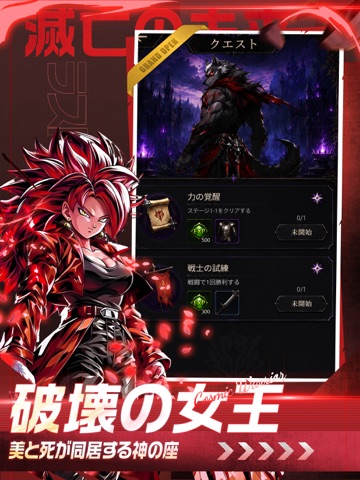
Sampled from 5 of 滅亡の未来:ラスト・スタンド's App Store screenshots — background, accent and theme, measured by LaunchShots (not something Apple publishes).
#040404 bg
#272727
#041C64 accent
#FFFFFF text
Screenshots
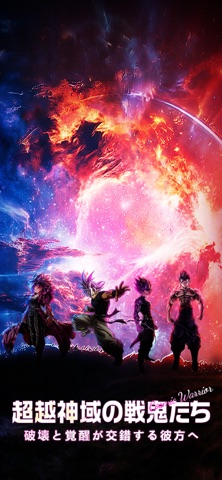


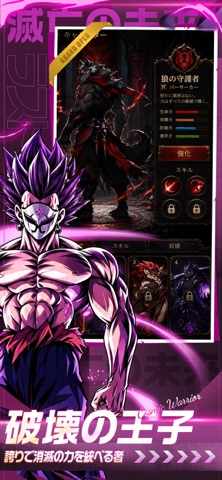
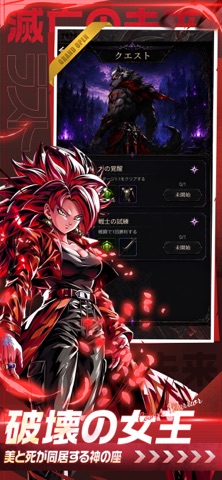
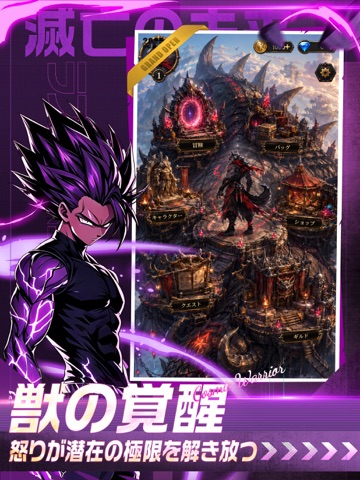
iPad screenshots



Icon palette
About this app
闇に覆われた幻想世界へ足を踏み入れ、狼の守護者たちの足跡を辿り、危険に満ちた城、荒野、古代遺跡を探索せよ。数々のステージに挑み、キャラクターを育成し、スキルを強化し、独自の風貌を持つ装備やアイテムを収集せよ。冒険が進むにつれ、血月、深淵、古代ルーンに隠された謎を徐々に解き明かし、闇の勢力が侵襲してくる前にこの大陸を守り抜け。
App details
What you can learn from 滅亡の未来:ラスト・スタンド
Every shipping app on the App Store has gone through the same decisions you're working through right now: which screenshot goes first, what caption sits over it, which device frame to show, what color the background should be. The 10 screenshots above are 滅亡の未来:ラスト・スタンド's answers to those questions — they're public, they're real, and they made it through Apple's review.
What the numbers say: 滅亡の未来:ラスト・スタンド runs a mixed light-and-dark set where the background shifts from screenshot to screenshot (first shot #040404) — each image has to stand on its own, so the captions carry more of the story. The accent colour we picked up, #041C64, is the one to reuse for badges, arrows and highlighted words if you borrow this look. Hit Use this style to open the editor with these exact colours and drop your own screenshot in.
Notice the first screenshot in particular. It's the one users see in search results and on the product page, and it's where most apps spend their best caption and tightest design. Look at the proportion of background to phone, where the text sits, what one thing the image is trying to communicate.
Want to see how other Games apps approach the same problem? Browse more Games apps in the showcase.
Take what works into your own screenshots
Open LaunchShots and design your App Store & Google Play screenshots — pick a device frame, drop captions, ship in minutes. Free, in your browser.
Open the screenshot editor →Apps with a similar look
Closest background + accent colours among the listings we've analysed — useful when you want to see the same palette handled by a different team.