Chart position — tracked daily by LaunchShots
Screenshot style breakdown
Sampled from 4 of 論文ニュース's App Store screenshots — background, accent and theme, measured by LaunchShots (not something Apple publishes).
#FCFCFC bg
#DDDDDD
#F494AC accent
#111111 text
Reading the caption text from the screenshots in your browser…
Screenshots

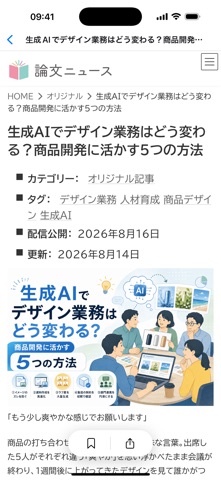

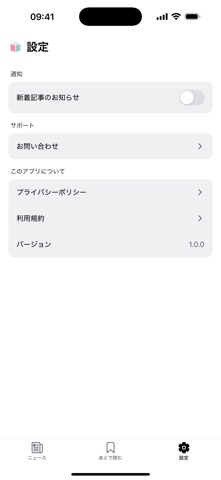
iPad screenshots


Icon palette
About this app
論文を、ビジネスの武器に。最新の学術研究を、やさしいニュースでお届けします。 「論文ニュース」は、専門的で難解な学術論文を、ビジネスパーソン向けにわかりやすく噛み砕いて紹介するニュースメディア「論文ニュース」(ronbun.news)の公式アプリです。忙しい毎日でも、スキマ時間で最新の研究知見をサクッとキャッチアップできます。 【主要機能】 ・新着記事の自動プッシュ通知 気になる論文ニュースが公開されたら、すぐにお知らせ。ブラウザを開いて確認する手間がなく、見逃しを防げます。 ・あとで読む(オフライン保存) 気になった記事をワンタップで保存。電波が届かない移動中や出張先でも、保存した記事はそのまま読めます。 ・カテゴリ別の記事一覧 「論文」「オリジナル」「お知らせ」などのカテゴリで絞り込み、読みたい記事にすぐアクセスできます。 ・読みやすいネイティブUI スマートフォンでの読みやすさにこだわった、シンプルで見やすい一覧・詳細画面。 【こんな方におすすめ】 ・学術研究の最新動向をビジネスに活かしたい会社員・…
App details
What you can learn from 論文ニュース
Every shipping app on the App Store has gone through the same decisions you're working through right now: which screenshot goes first, what caption sits over it, which device frame to show, what color the background should be. The 8 screenshots above are 論文ニュース's answers to those questions — they're public, they're real, and they made it through Apple's review.
What the numbers say: 論文ニュース runs a light set with one background colour (#FCFCFC) carried across every screenshot — the listing reads as a single poster when the shots sit side by side in search results. The accent colour we picked up, #F494AC, is the one to reuse for badges, arrows and highlighted words if you borrow this look. Hit Use this style to open the editor with these exact colours and drop your own screenshot in.
Notice the first screenshot in particular. It's the one users see in search results and on the product page, and it's where most apps spend their best caption and tightest design. Look at the proportion of background to phone, where the text sits, what one thing the image is trying to communicate.
Want to see how other News apps approach the same problem? Browse more News apps in the showcase.
Take what works into your own screenshots
Open LaunchShots and design your App Store & Google Play screenshots — pick a device frame, drop captions, ship in minutes. Free, in your browser.
Open the screenshot editor →Apps with a similar look
Closest background + accent colours among the listings we've analysed — useful when you want to see the same palette handled by a different team.