Screenshot style breakdown
Sampled from 3 of 封剑神录-合击's App Store screenshots — background, accent and theme, measured by LaunchShots (not something Apple publishes).
#440C0C bg
#5E2E2E
#8C6444 accent
#FFFFFF text
Screenshots


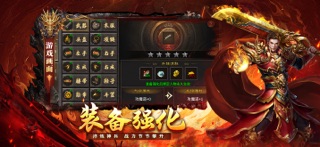
iPad screenshots


Icon palette
About this app
《封剑神录 - 传承》诚意传奇重磅来袭!开局任选三大职业英雄,英雄伴你同步成长,打怪稳步提升实力。炫酷强力合击技能加持,助你驰骋沙场,轻松称霸沙城! 玩法简介: 1、多种养成系统助力,官职、神器、传承、内功让你轻松横推BOSS! 2、杀怪奖励无限爽玩,材料不足是什么根本不知道! 3、各类副本、秘境等你挑战,跨服热血PK竞技无双! 4、高清画质渲染酷炫特效,热血攻沙再掀传奇狂潮! 5、人气火爆、可玩性非常高,体验前所未有的传奇神话!
App details
What you can learn from 封剑神录-合击
Every shipping app on the App Store has gone through the same decisions you're working through right now: which screenshot goes first, what caption sits over it, which device frame to show, what color the background should be. The 6 screenshots above are 封剑神录-合击's answers to those questions — they're public, they're real, and they made it through Apple's review.
What the numbers say: 封剑神录-合击 runs a dark set with one background colour (#440C0C) carried across every screenshot — the listing reads as a single poster when the shots sit side by side in search results. The accent colour we picked up, #8C6444, is the one to reuse for badges, arrows and highlighted words if you borrow this look. Hit Use this style to open the editor with these exact colours and drop your own screenshot in.
Notice the first screenshot in particular. It's the one users see in search results and on the product page, and it's where most apps spend their best caption and tightest design. Look at the proportion of background to phone, where the text sits, what one thing the image is trying to communicate.
Want to see how other Entertainment apps approach the same problem? Browse more Entertainment apps in the showcase.
Take what works into your own screenshots
Open LaunchShots and design your App Store & Google Play screenshots — pick a device frame, drop captions, ship in minutes. Free, in your browser.
Open the screenshot editor →Apps with a similar look
Closest background + accent colours among the listings we've analysed — useful when you want to see the same palette handled by a different team.