Chart position — tracked daily by LaunchShots
Screenshot style breakdown
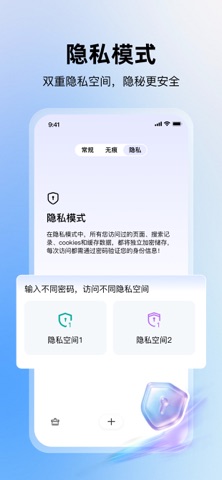
Sampled from 4 of 极速隐私浏览器-私密浏览 · 视频播放's App Store screenshots — background, accent and theme, measured by LaunchShots (not something Apple publishes).
#CCE4FC bg
#B3C8DD
#64ACFC accent
#111111 text
Screenshots



Icon palette
About this app
极速隐私浏览器,为您打造更私密、更自由的移动浏览体验。 不仅支持无痕浏览和隐私保护,还提供独立密码保护的双隐私空间,让您的浏览记录、收藏内容和个人数据更加安全。 【私密浏览,守护个人空间】 • 无痕浏览:不保存本地浏览记录,保护您的浏览隐私。 • 双隐私空间:创建独立私密空间,通过密码访问,重要内容安心保存。 • 隐私模式:快速进入专属浏览环境,减少信息残留。 【沉浸视频,畅享播放体验】 • 多格式视频支持:兼容多种视频编码格式,播放更流畅。 • 画中画播放:边浏览网页,边观看视频。 • 自动刷新:支持网页自动刷新,实时获取最新内容。 【更多实用工具】 • 无图模式:减少页面加载内容,节省流量并提升浏览体验。 • 轻量快速:简洁流畅的浏览体验,随时随地开启网络探索。 极速隐私浏览器,让浏览更自由,让隐私更安心。 【连续订阅会员说明】 1.订阅服务名称 本服务为连续订阅制,包含连续包周会员、连续包月会员、连续包年会员。 2.订阅周期 连续包周:每周自动续订 连续包月:每月自动续订 连续包年:每年自动续订 在订阅有效期内,用户…
App details
What you can learn from 极速隐私浏览器-私密浏览 · 视频播放
Every shipping app on the App Store has gone through the same decisions you're working through right now: which screenshot goes first, what caption sits over it, which device frame to show, what color the background should be. The 4 screenshots above are 极速隐私浏览器-私密浏览 · 视频播放's answers to those questions — they're public, they're real, and they made it through Apple's review.
What the numbers say: 极速隐私浏览器-私密浏览 · 视频播放 runs a light set with one background colour (#CCE4FC) carried across every screenshot — the listing reads as a single poster when the shots sit side by side in search results. The accent colour we picked up, #64ACFC, is the one to reuse for badges, arrows and highlighted words if you borrow this look. Hit Use this style to open the editor with these exact colours and drop your own screenshot in.
Notice the first screenshot in particular. It's the one users see in search results and on the product page, and it's where most apps spend their best caption and tightest design. Look at the proportion of background to phone, where the text sits, what one thing the image is trying to communicate.
Want to see how other Lifestyle apps approach the same problem? Browse more Lifestyle apps in the showcase.
Take what works into your own screenshots
Open LaunchShots and design your App Store & Google Play screenshots — pick a device frame, drop captions, ship in minutes. Free, in your browser.
Open the screenshot editor →Apps with a similar look
Closest background + accent colours among the listings we've analysed — useful when you want to see the same palette handled by a different team.