Chart position — tracked daily by LaunchShots
Screenshot style breakdown
Sampled from 4 of オシカン -推し活管理アプリ-'s App Store screenshots — background, accent and theme, measured by LaunchShots (not something Apple publishes).
#0C0C0C bg
#2E2E2E
#FC6CAC accent
#FFFFFF text
Screenshots


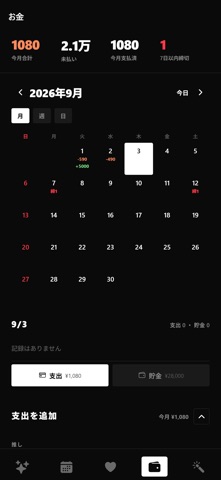
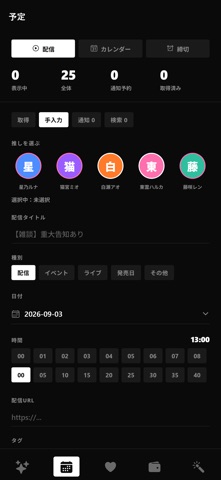
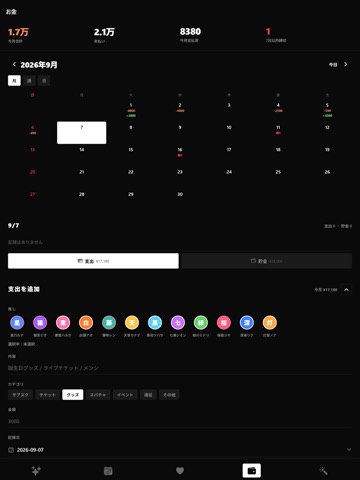
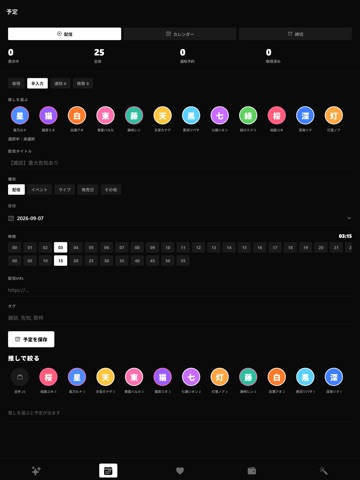
iPad screenshots


Icon palette
About this app
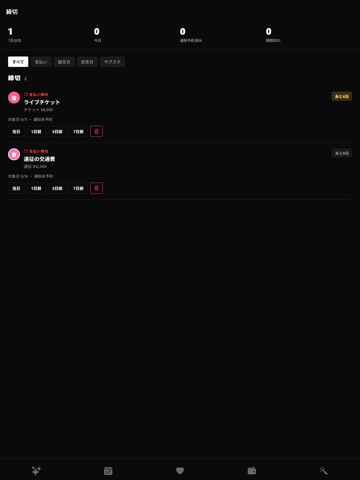
推しの配信予定を1か所にまとめて、見逃さないためのアプリです。アカウント登録はありません。 ■ 配信を追いかける ・YouTube・Twitch・ツイキャスのチャンネルを登録すると、配信予定と配信中を自動で取り込みます ・TikTok・ニコニコなどは手動で登録できます ・同じ人の複数チャンネルは、1人にまとめて表示できます ・配信の前に通知します(何分前かは推しごとに変えられます) ■ カレンダーで見る ・月表示で予定を一覧できます ・配信のURLリンクを保存しておけます ■ 記録する ・見た配信に「視聴した/未視聴」と感想メモを残せます ・推し活日記を書けます ・推し活で使ったお金と、推し活貯金を記録できます ・メンバーシップの月額を登録すると、毎月の支出として自動で記録します ・支払いの締切とメンバーシップの更新日を一覧できます ■ 覚えておく ・誕生日・記念日・推しはじめた日を登録できます ・推しごとに色を決められます ・グループで絞り込めます ■ データについて 入力した内容は端末の中だけに保存されます。開発者のサーバーには送…
App details
What you can learn from オシカン -推し活管理アプリ-
Every shipping app on the App Store has gone through the same decisions you're working through right now: which screenshot goes first, what caption sits over it, which device frame to show, what color the background should be. The 9 screenshots above are オシカン -推し活管理アプリ-'s answers to those questions — they're public, they're real, and they made it through Apple's review.
What the numbers say: オシカン -推し活管理アプリ- runs a dark set with one background colour (#0C0C0C) carried across every screenshot — the listing reads as a single poster when the shots sit side by side in search results. The accent colour we picked up, #FC6CAC, is the one to reuse for badges, arrows and highlighted words if you borrow this look. Hit Use this style to open the editor with these exact colours and drop your own screenshot in.
Notice the first screenshot in particular. It's the one users see in search results and on the product page, and it's where most apps spend their best caption and tightest design. Look at the proportion of background to phone, where the text sits, what one thing the image is trying to communicate.
Want to see how other Entertainment apps approach the same problem? Browse more Entertainment apps in the showcase.
Take what works into your own screenshots
Open LaunchShots and design your App Store & Google Play screenshots — pick a device frame, drop captions, ship in minutes. Free, in your browser.
Open the screenshot editor →Apps with a similar look
Closest background + accent colours among the listings we've analysed — useful when you want to see the same palette handled by a different team.