Chart position — tracked daily by LaunchShots
Screenshot style breakdown
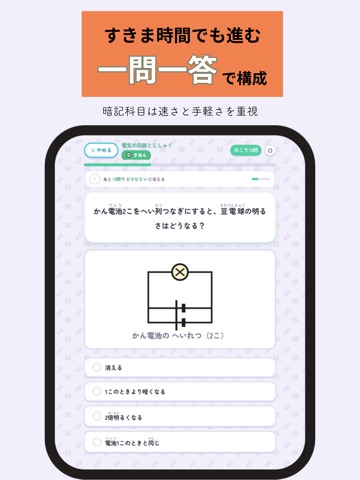
Sampled from 6 of あんきずかん|中学受験 理科・社会・国語・算数・時事's App Store screenshots — background, accent and theme, measured by LaunchShots (not something Apple publishes).
#F4ECFC bg
#D6CFDD
#F4844C accent
#111111 text
Reading the caption text from the screenshots in your browser…
Screenshots


iPad screenshots



Icon palette
About this app
中学受験の暗記科目を、まるごと網羅した学習アプリです。 理科・社会・国語・算数・時事の205単元、1万問以上。手描き風のモンスターを集めながら、おぼえるまで何度でも反復できます。小学3年生から6年生まで使えます。 ■ 一問一答だけでは届かないところまで 暗記の中心は一問一答ですが、それだけでは覚えきれないものが2つあります。このアプリには、そのための専用のモードがあります。 【つながりでおぼえる】 「なぜ そうなるのか」を順番にたどるモードです。前の問題の答えが、次の問題の前提になります。たとえば「令和の米騒動」から始めて、猛暑 → 買いだめ → 備蓄米 → 増産 → 食料自給率 → 食品ロスへと、8つのステップでつながっていきます。ばらばらに覚えた知識が、1本の線になります。134本を収録。 【ぜんぶ おぼえる】 47都道府県のような一覧を、ひとつ残らず最後まで出しきるモードです。ふつうの出題では必ず取りこぼしが出ますが、ここでは全項目が順番に出ます。都道府県・県庁所在地・川・山・半島・歴史の人物・星座・基本的人権・…
App details
What you can learn from あんきずかん|中学受験 理科・社会・国語・算数・時事
Every shipping app on the App Store has gone through the same decisions you're working through right now: which screenshot goes first, what caption sits over it, which device frame to show, what color the background should be. The 20 screenshots above are あんきずかん|中学受験 理科・社会・国語・算数・時事's answers to those questions — they're public, they're real, and they made it through Apple's review.
What the numbers say: あんきずかん|中学受験 理科・社会・国語・算数・時事 runs a light set with one background colour (#F4ECFC) carried across every screenshot — the listing reads as a single poster when the shots sit side by side in search results. The accent colour we picked up, #F4844C, is the one to reuse for badges, arrows and highlighted words if you borrow this look. Hit Use this style to open the editor with these exact colours and drop your own screenshot in.
Notice the first screenshot in particular. It's the one users see in search results and on the product page, and it's where most apps spend their best caption and tightest design. Look at the proportion of background to phone, where the text sits, what one thing the image is trying to communicate.
Want to see how other Education apps approach the same problem? Browse more Education apps in the showcase.
Take what works into your own screenshots
Open LaunchShots and design your App Store & Google Play screenshots — pick a device frame, drop captions, ship in minutes. Free, in your browser.
Open the screenshot editor →Apps with a similar look
Closest background + accent colours among the listings we've analysed — useful when you want to see the same palette handled by a different team.