Chart position — tracked daily by LaunchShots
Screenshot style breakdown
Sampled from 6 of Maxima Roma Academy's App Store screenshots — background, accent and theme, measured by LaunchShots (not something Apple publishes).
#F4ECE4 bg
#D6CFC8
#ECAC34 accent
#111111 text
Reading the caption text from the screenshots in your browser…
Screenshots

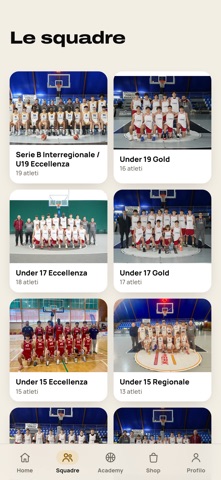
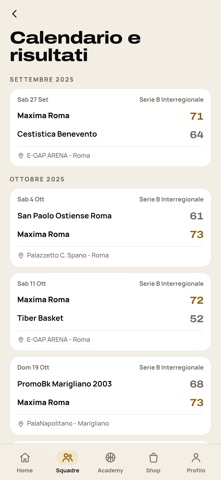

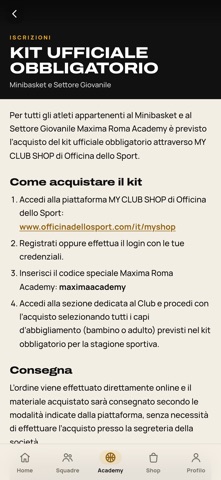


iPad screenshots


Icon palette
About this app
L'app ufficiale della Maxima Roma Basketball Academy, il club di Roma che dal minibasket alla Serie B fa crescere centinaia di ragazzi ogni anno. Cosa ci trovi News del club. Tutte le notizie della società e del settore giovanile, aggiornate in tempo reale, con il filtro per categoria. Squadre e roster. Ogni squadra con la foto di gruppo, il roster completo, numeri di maglia, staff tecnico e la scheda di ogni atleta. Calendario e risultati. Le prossime partite di tutte le categorie e i risultati appena arrivano dal campo. Iscrizioni alla stagione. Minibasket dai 6 ai 12 anni e settore giovanile dai 13 ai 19: formule, quote, documenti e tutte le istruzioni per iscriversi. Attività e camp. Camp estivi, allenamenti speciali, programmi individuali e gli eventi del club, con le informazioni sempre aggiornate. Factory. Il programma di alta specializzazione per chi punta al college o al…
App details
What you can learn from Maxima Roma Academy
Every shipping app on the App Store has gone through the same decisions you're working through right now: which screenshot goes first, what caption sits over it, which device frame to show, what color the background should be. The 14 screenshots above are Maxima Roma Academy's answers to those questions — they're public, they're real, and they made it through Apple's review.
What the numbers say: Maxima Roma Academy runs a light set with one background colour (#F4ECE4) carried across every screenshot — the listing reads as a single poster when the shots sit side by side in search results. The accent colour we picked up, #ECAC34, is the one to reuse for badges, arrows and highlighted words if you borrow this look. Hit Use this style to open the editor with these exact colours and drop your own screenshot in.
Notice the first screenshot in particular. It's the one users see in search results and on the product page, and it's where most apps spend their best caption and tightest design. Look at the proportion of background to phone, where the text sits, what one thing the image is trying to communicate.
Want to see how other Sports apps approach the same problem? Browse more Sports apps in the showcase.
Take what works into your own screenshots
Open LaunchShots and design your App Store & Google Play screenshots — pick a device frame, drop captions, ship in minutes. Free, in your browser.
Open the screenshot editor →Apps with a similar look
Closest background + accent colours among the listings we've analysed — useful when you want to see the same palette handled by a different team.