Chart position — tracked daily by LaunchShots
Screenshot style breakdown
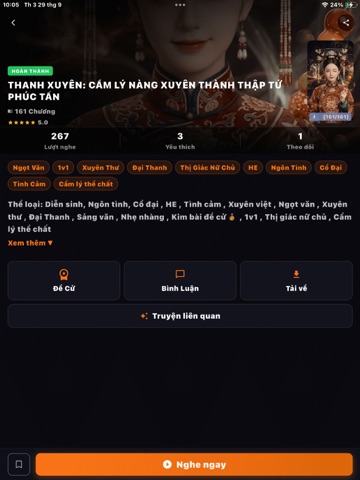
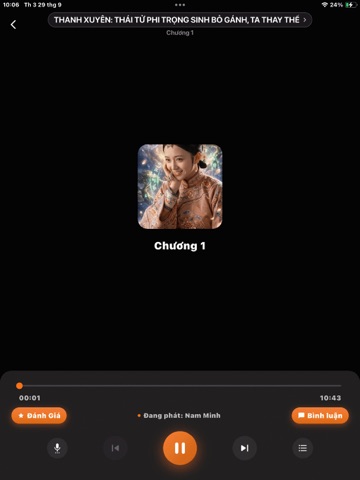
Sampled from 6 of MyTruyenAudio's App Store screenshots — background, accent and theme, measured by LaunchShots (not something Apple publishes).
#0C0C14 bg
#2E2E34
#FC7404 accent
#FFFFFF text
Screenshots
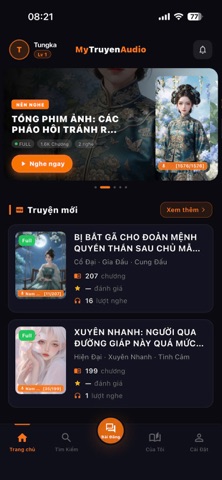
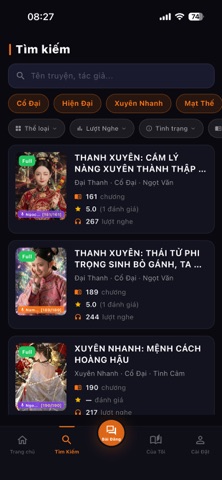


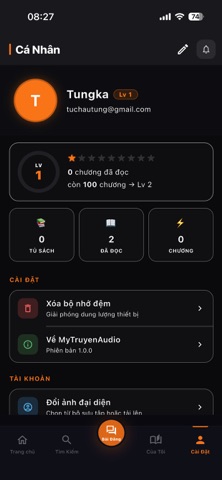

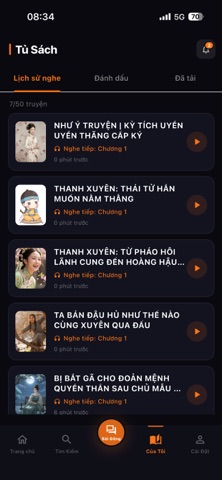
iPad screenshots


Icon palette
About this app
Chào mừng bạn đến với My Truyen Audio – ứng dụng nghe truyện audio hàng đầu dành cho những người yêu thích thế giới văn học qua âm thanh. Với giao diện hiện đại, tối ưu hóa cho chế độ ban đêm giúp bảo vệ mắt và mang lại trải nghiệm nghe đắm chìm, ứng dụng mang đến cho bạn một thế giới truyện vô cùng phong phú: TÍNH NĂNG NỔI BẬT: -Tiện ích nghe thông minh: Tùy chỉnh tốc độ phát linh hoạt, lưu lại lịch sử và tự động ghi nhớ chương đang nghe để bạn dễ dàng tiếp tục bất cứ lúc nào -Nghe Online, Offline , Nghe Nền -Kho truyện phong phú: Tổng hợp hàng ngàn tựa truyện audio hấp dẫn thuộc nhiều thể loại khác nhau như truyện ngắn, tiểu thuyết, truyện ngôn tình, kiếm hiệp, trinh thám và phát thanh đặc sắc. -Âm thanh chất lượng cao: Giọng đọc truyền cảm, phát âm chuẩn xác, kết hợp công nghệ âm thanh sống động mang lại trải nghiệm như đang thưởng thức một thước phim điện ảnh thu nhỏ. Trải nghiệm m…
App details
What you can learn from MyTruyenAudio
Every shipping app on the App Store has gone through the same decisions you're working through right now: which screenshot goes first, what caption sits over it, which device frame to show, what color the background should be. The 13 screenshots above are MyTruyenAudio's answers to those questions — they're public, they're real, and they made it through Apple's review.
What the numbers say: MyTruyenAudio runs a dark set with one background colour (#0C0C14) carried across every screenshot — the listing reads as a single poster when the shots sit side by side in search results. The accent colour we picked up, #FC7404, is the one to reuse for badges, arrows and highlighted words if you borrow this look. Hit Use this style to open the editor with these exact colours and drop your own screenshot in.
Notice the first screenshot in particular. It's the one users see in search results and on the product page, and it's where most apps spend their best caption and tightest design. Look at the proportion of background to phone, where the text sits, what one thing the image is trying to communicate.
Want to see how other Book apps approach the same problem? Browse more Book apps in the showcase.
Take what works into your own screenshots
Open LaunchShots and design your App Store & Google Play screenshots — pick a device frame, drop captions, ship in minutes. Free, in your browser.
Open the screenshot editor →Apps with a similar look
Closest background + accent colours among the listings we've analysed — useful when you want to see the same palette handled by a different team.