Chart position — tracked daily by LaunchShots
Screenshot style breakdown
Sampled from 6 of YOASOBI LIGHT "SUPER PLANET"'s App Store screenshots — background, accent and theme, measured by LaunchShots (not something Apple publishes).
#E4E4E4 bg
#C8C8C8
#CC8C84 accent
#111111 text
Screenshots

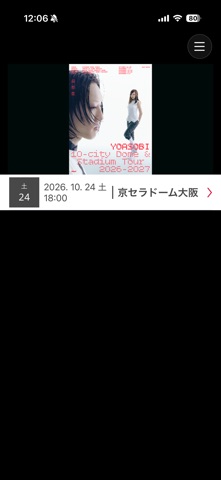
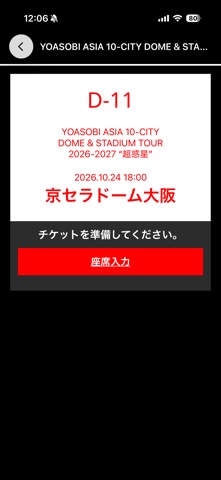

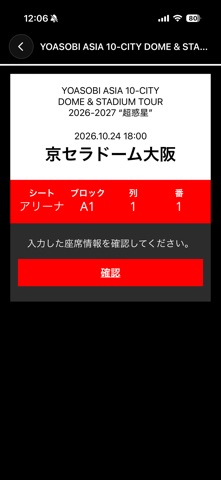
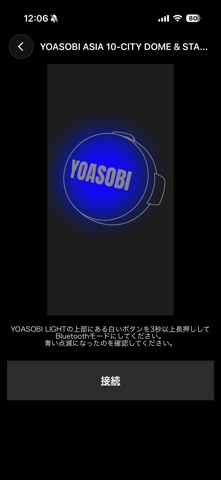


Icon palette
About this app
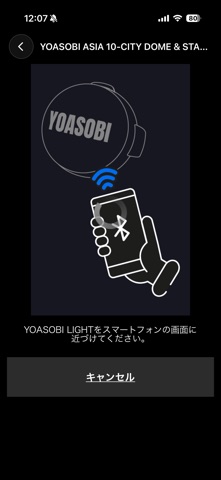
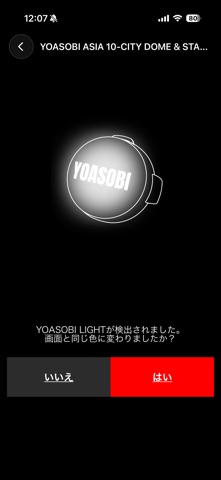
このアプリケーションは、「YOASOBI TOUR 2026-2027 "超惑星"」のYOASOBI LIGHTを使用するために対応しています。 【主な機能のご案内】 1. コンサートモード YOASOBI LIGHTをBluetooth機能で演出データに連動させることでコンサート中にYOASOBI LIGHTの多様な演出をお楽しみいただけます。コンサート中のみ使用できるメニューです。 2. Bluetooth接続 YOASOBI LIGHTの表面中央にある丸いボタンを長押しすると、「Bluetoothモード」に切り替わります。 スマートフォンの「Bluetoothモード」をオンにしてYOASOBI LIGHTを近づけると、YOASOBI LIGHTとスマートフォンが連動します。 【コンサート観覧前のご注意】 - 公演途中無線コントロールライトの電源が切れないように公演前にバッテリーをチェックし電池容量が少ない時は新しい電池に交換してください。 【必須アクセス権限のご案内】 サービスをご利用いただくためには、次の項目に対してアクセス権限が必要です。 ※ ポップアップ画面が表示されたら、「許可」ボタンを押してください。 - Bluetooth:YOASOBI…
App details
What you can learn from YOASOBI LIGHT "SUPER PLANET"
Every shipping app on the App Store has gone through the same decisions you're working through right now: which screenshot goes first, what caption sits over it, which device frame to show, what color the background should be. The 10 screenshots above are YOASOBI LIGHT "SUPER PLANET"'s answers to those questions — they're public, they're real, and they made it through Apple's review.
What the numbers say: YOASOBI LIGHT "SUPER PLANET" runs a mixed light-and-dark set where the background shifts from screenshot to screenshot (first shot #E4E4E4) — each image has to stand on its own, so the captions carry more of the story. The accent colour we picked up, #CC8C84, is the one to reuse for badges, arrows and highlighted words if you borrow this look. Hit Use this style to open the editor with these exact colours and drop your own screenshot in.
Notice the first screenshot in particular. It's the one users see in search results and on the product page, and it's where most apps spend their best caption and tightest design. Look at the proportion of background to phone, where the text sits, what one thing the image is trying to communicate.
Want to see how other Entertainment apps approach the same problem? Browse more Entertainment apps in the showcase.
Take what works into your own screenshots
Open LaunchShots and design your App Store & Google Play screenshots — pick a device frame, drop captions, ship in minutes. Free, in your browser.
Open the screenshot editor →Apps with a similar look
Closest background + accent colours among the listings we've analysed — useful when you want to see the same palette handled by a different team.