Chart position — tracked daily by LaunchShots
Screenshot style breakdown
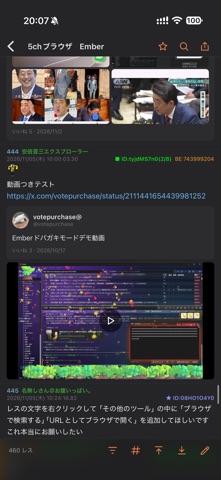
Sampled from 6 of Ember - 掲示板ブラウザ's App Store screenshots — background, accent and theme, measured by LaunchShots (not something Apple publishes).
#242424 bg
#424242
#447444 accent
#FFFFFF text
Reading the caption text from the screenshots in your browser…
Screenshots




Icon palette
About this app
Ember は、掲示板を快適に読み書きするための非公式ブラウザアプリです。広告はありません。 【主な機能】 ■ 読むことに集中できる画面 ID の色分け、長文の折りたたみ、横スクロールの AA 表示に対応。読んでいた位置はスレッドごとに覚えていて、開き直してもそこから続きを読めます。 ■ アンカーを重ねて辿る >> や被アンカーをタップすると、読んでいた場所の上にカードが開きます。話の流れがツリーで分かり、さらにタップすれば何枚でも重なります。外側をタップすれば 1 枚ずつ戻れます。 ■ 画像も動画も、その場で 画像のサムネイル、動画の再生、YouTube、X のポストのカードを本文の下に表示します。スレッドの画像を一覧にして、まとめて保存することもできます。 ■ 端末の中で動く AI(オプション) 要約、翻訳、投稿前のチェック、自然文で書ける曖昧 NG に対応。処理はすべて端末の中で行い、読み書きの内容を外部へ送りません。AI は初期状態でオフで、モデルは必要なものだけ入手できます。 ■ 見たくないものを隠す NG は語句、ID、名前に対応…
App details
What you can learn from Ember - 掲示板ブラウザ
Every shipping app on the App Store has gone through the same decisions you're working through right now: which screenshot goes first, what caption sits over it, which device frame to show, what color the background should be. The 6 screenshots above are Ember - 掲示板ブラウザ's answers to those questions — they're public, they're real, and they made it through Apple's review.
What the numbers say: Ember - 掲示板ブラウザ runs a dark set with one background colour (#242424) carried across every screenshot — the listing reads as a single poster when the shots sit side by side in search results. The accent colour we picked up, #447444, is the one to reuse for badges, arrows and highlighted words if you borrow this look. Hit Use this style to open the editor with these exact colours and drop your own screenshot in.
Notice the first screenshot in particular. It's the one users see in search results and on the product page, and it's where most apps spend their best caption and tightest design. Look at the proportion of background to phone, where the text sits, what one thing the image is trying to communicate.
Want to see how other News apps approach the same problem? Browse more News apps in the showcase.
Take what works into your own screenshots
Open LaunchShots and design your App Store & Google Play screenshots — pick a device frame, drop captions, ship in minutes. Free, in your browser.
Open the screenshot editor →Apps with a similar look
Closest background + accent colours among the listings we've analysed — useful when you want to see the same palette handled by a different team.