Chart position — tracked daily by LaunchShots
Screenshot style breakdown
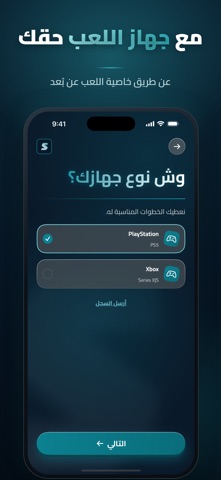
Sampled from 6 of sard - ترجمة الألعاب's App Store screenshots — background, accent and theme, measured by LaunchShots (not something Apple publishes).
#041424 bg
#273442
#0C7C8C accent
#FFFFFF text
Screenshots




Icon palette
About this app
SARD يحوّل ترجمة ألعابك الإنجليزية إلى العربية، ويعرضها على تلفزيونك فوق اللعبة وأنت تلعب. كيف يشتغل؟ • اربط جهاز اللعب والتلفزيون من التطبيق مرة وحدة. • اختر لعبتك واضغط «ابدأ الترجمة». • كل جملة تظهر في اللعبة تطلع ترجمتها العربية على التلفزيون خلال لحظات. المميزات • ترجمة فورية واحترافية تفهم سياق اللعبة. • مربع ثاني لترجمة نصوص أخرى على الشاشة، مثل المهمات والتلميحات. • تخصيص كامل لشكل الترجمة: الحجم واللون والخلفية والشفافية. • ربط سهل بدون بلوتوث. • شرح سريع خطوة بخطوة حسب تلفزيونك وجهاز اللعب. يعمل مع • أجهزة PlayStation وXbox، عن طريق خاصية اللعب عن بُعد في جهازك وبحسابك أنت. • تلفزيونات Android TV وGoogle TV عن طريق تطبيق SARD للتلفزيون، وتلفزيونات LG عن طريق تطبيق Media Station X. قبل ما تبدأ • تحتاج جهاز لعب وتلفزيون مدعوم وجوال، ويبقى التطبيق مفتوحاً في الجوال أثناء اللعب. • صورة اللعبة ما تطلع من جوالك أبداً؛ يُرسل نص الترجمة فقط. SARD خدمة مستقلة، ولا تتبع Sony ولا Mi…
App details
What you can learn from sard - ترجمة الألعاب
Every shipping app on the App Store has gone through the same decisions you're working through right now: which screenshot goes first, what caption sits over it, which device frame to show, what color the background should be. The 9 screenshots above are sard - ترجمة الألعاب's answers to those questions — they're public, they're real, and they made it through Apple's review.
What the numbers say: sard - ترجمة الألعاب runs a dark set with one background colour (#041424) carried across every screenshot — the listing reads as a single poster when the shots sit side by side in search results. The accent colour we picked up, #0C7C8C, is the one to reuse for badges, arrows and highlighted words if you borrow this look. Hit Use this style to open the editor with these exact colours and drop your own screenshot in.
Notice the first screenshot in particular. It's the one users see in search results and on the product page, and it's where most apps spend their best caption and tightest design. Look at the proportion of background to phone, where the text sits, what one thing the image is trying to communicate.
Want to see how other Utilities apps approach the same problem? Browse more Utilities apps in the showcase.
Take what works into your own screenshots
Open LaunchShots and design your App Store & Google Play screenshots — pick a device frame, drop captions, ship in minutes. Free, in your browser.
Open the screenshot editor →Apps with a similar look
Closest background + accent colours among the listings we've analysed — useful when you want to see the same palette handled by a different team.