Chart position — tracked daily by LaunchShots
Screenshot changes — detected by LaunchShots
Screenshot style breakdown
Sampled from 5 of CAD快速看图 - 天正全专业's App Store screenshots — background, accent and theme, measured by LaunchShots (not something Apple publishes).
#FCFCFC bg
#DDDDDD
#64BCFC accent
#111111 text
Reading the caption text from the screenshots in your browser…
Screenshots


iPad screenshots



Icon palette
About this app
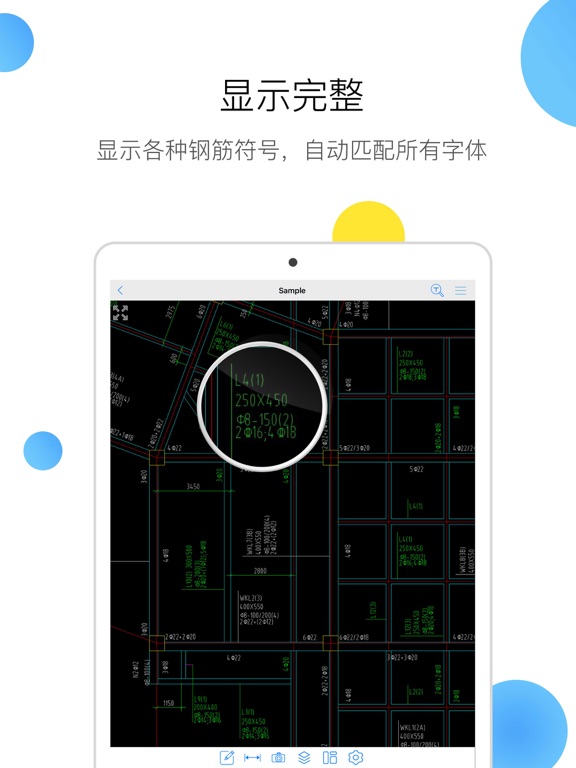
【CAD快速看图兼容天正全专业,支持T30V1】,全面支持AutoCAD各版本的DWG/DXF图纸,并支持直接PDF文件及压缩包(ZIP,RAR, 7Z)文件。 CAD快速看图是一款集快速看图、图纸标注、精准测量、云端协同于一体的轻量级看图软件。适用于工程施工、工程造价(预算、结算、竣工决算等)、工程监理、测量测绘等多个领域,覆盖土建、装饰装修、给排水及采暖、建筑电气、通风与空调、道路桥梁、园林、市政等多个专业场景。 1、开图快速,显示完整 兼容天正全专业(天正建筑、天正给排水、天正暖通、天正电气),支持PDF转CAD,同时支持CAD转PDF,方便手机端直接打印图纸。 图纸布局显示完整,无需安装任何字体,自动匹配并显示钢筋符号,乱码无处可寻; 支持多张图纸同时打开、快速切换,并可双图同屏对照查看,便于在施工现场随时对比图纸、查看工程变更内容,或结合大样图指导施工。 2、智能测量,方式多样 测量功能全面,包括面积(含异形区域)、连续线段总长、弧长、半径、角度、坐标等,更配备定距测量、计算侧面积等特色功能,专为风管分节、模板面积核算等现场场景设计…
App details
What you can learn from CAD快速看图 - 天正全专业
Every shipping app on the App Store has gone through the same decisions you're working through right now: which screenshot goes first, what caption sits over it, which device frame to show, what color the background should be. The 10 screenshots above are CAD快速看图 - 天正全专业's answers to those questions — they're public, they're real, and they made it through Apple's review.
What the numbers say: CAD快速看图 - 天正全专业 runs a light set with one background colour (#FCFCFC) carried across every screenshot — the listing reads as a single poster when the shots sit side by side in search results. The accent colour we picked up, #64BCFC, is the one to reuse for badges, arrows and highlighted words if you borrow this look. Hit Use this style to open the editor with these exact colours and drop your own screenshot in.
Notice the first screenshot in particular. It's the one users see in search results and on the product page, and it's where most apps spend their best caption and tightest design. Look at the proportion of background to phone, where the text sits, what one thing the image is trying to communicate.
Want to see how other Productivity apps approach the same problem? Browse more Productivity apps in the showcase.
Take what works into your own screenshots
Open LaunchShots and design your App Store & Google Play screenshots — pick a device frame, drop captions, ship in minutes. Free, in your browser.
Open the screenshot editor →Apps with a similar look
Closest background + accent colours among the listings we've analysed — useful when you want to see the same palette handled by a different team.