Chart position — tracked daily by LaunchShots
Screenshot style breakdown
Sampled from 6 of LINE ポコポコ:3マッチパズルゲーム's App Store screenshots — background, accent and theme, measured by LaunchShots (not something Apple publishes).
#14B4D4 bg
#119EBA
#0C8C0C accent
#111111 text
Screenshots


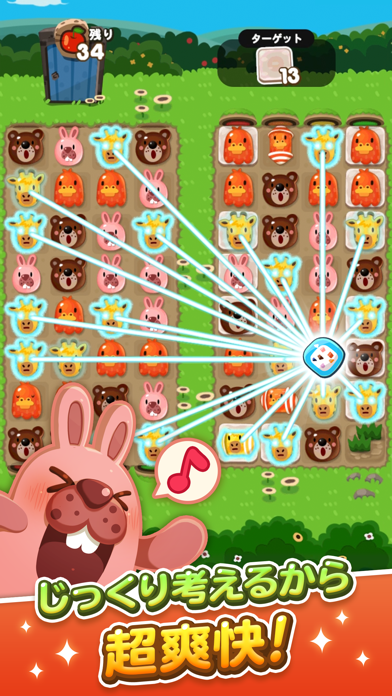


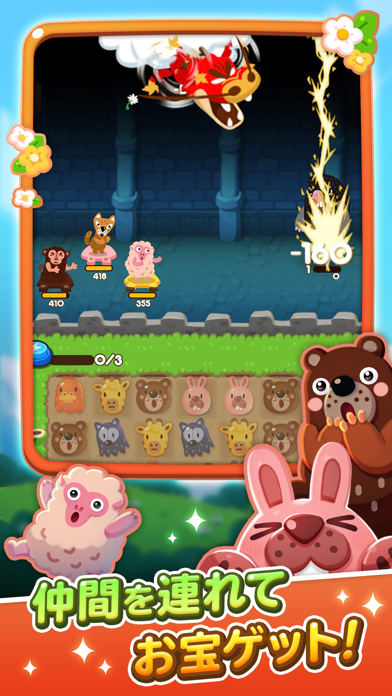
Icon palette
About this app
---------------------------------- ポコからはじまる12周年! パズルゲームの定番! LINE ポコポコ! ---------------------------------- うさぎのポコタ、くまのココ、おおかみのジェフたちの かわいい動物ブロックをクローバーを使って、解きまくろう! チェリーを集めて、冒険に連れていく仲間をガチャで増やそう。 仲間を強くすると、冒険でのランキングがあがるぞ! クローバーを友達にプレゼントして、ひまつぶしにポコポコしまくろう! 【簡単そうで難しいパズル!】 かわいい動物たちの癒しなブロックとは裏腹に、少し頭を使って考えるパズルにハマる! ポコポコしまくって、ランキングを上げてみんなに自慢しよう! クローバーをプレゼントし合うと、ポコポコをたくさんプレイできるぞ。 【イベントコンテンツが充実!】 期間限定で行われるイベントステージや、BINGOステージ、 友達にクローバーなどのギフトを送れるギフトステージなど飽きないイベントがたくさん! ゲームセンターが追加されて、さらに無料でかわいい動物パズルが遊び放題! イ…
App details
What you can learn from LINE ポコポコ:3マッチパズルゲーム
Every shipping app on the App Store has gone through the same decisions you're working through right now: which screenshot goes first, what caption sits over it, which device frame to show, what color the background should be. The 6 screenshots above are LINE ポコポコ:3マッチパズルゲーム's answers to those questions — they're public, they're real, and they made it through Apple's review.
What the numbers say: LINE ポコポコ:3マッチパズルゲーム runs a mixed light-and-dark set where the background shifts from screenshot to screenshot (first shot #14B4D4) — each image has to stand on its own, so the captions carry more of the story. The accent colour we picked up, #0C8C0C, is the one to reuse for badges, arrows and highlighted words if you borrow this look. Hit Use this style to open the editor with these exact colours and drop your own screenshot in.
Notice the first screenshot in particular. It's the one users see in search results and on the product page, and it's where most apps spend their best caption and tightest design. Look at the proportion of background to phone, where the text sits, what one thing the image is trying to communicate.
Want to see how other Games apps approach the same problem? Browse more Games apps in the showcase.
Take what works into your own screenshots
Open LaunchShots and design your App Store & Google Play screenshots — pick a device frame, drop captions, ship in minutes. Free, in your browser.
Open the screenshot editor →Apps with a similar look
Closest background + accent colours among the listings we've analysed — useful when you want to see the same palette handled by a different team.