Chart position — tracked daily by LaunchShots
Screenshot changes — detected by LaunchShots
Screenshot style breakdown
Sampled from 4 of コンパス 東西南北's App Store screenshots — background, accent and theme, measured by LaunchShots (not something Apple publishes).
#545454 bg
#6B6B6B
#BC1C2C accent
#FFFFFF text
Screenshots



iPad screenshots


Icon palette
About this app
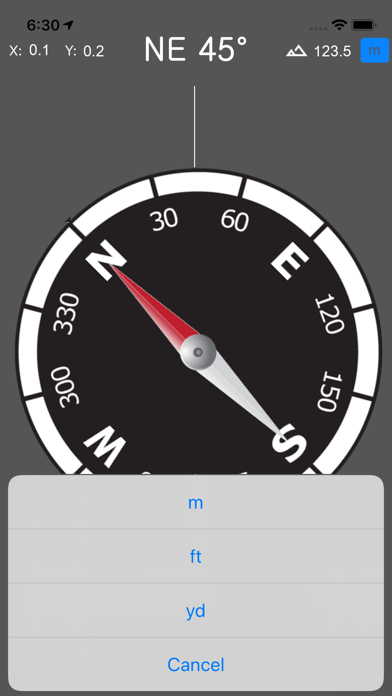
コンパスは方向を判断するために使用される計器です。 このアプリは、登山中や旅行中、また霧などで視界が悪いときに方向を確認するのに役立ちます。 コンパスアプリは、地球の磁場を利用して東西南北の方角を判断します。 このコンパスアプリはGPS高度を表示します。 また、画面上部に方位角(アジマス)を表示します。 このアプリケーションでは、現在地を他の人と共有し、地図上で自分の位置を確認できます。 オーロラを見るには、このコンパスアプリを使って北半球では北、南半球では南を探してください。 このコンパスアプリはコンパスの傾きを表示し、正確な方向を示すのに役立ちます。 今日の日の出と日の入りの時刻を確認できます。カレンダーから日付を選択すると、その日の日の出と日の入りの時刻を計算できます。 節分(せつぶん)に幸運が入ってくるところの方向を検索できます。 節分に恵方巻きを食べるための、恵方の方向を探してください。 2026年の節分の恵方は南南東です。
App details
What you can learn from コンパス 東西南北
Every shipping app on the App Store has gone through the same decisions you're working through right now: which screenshot goes first, what caption sits over it, which device frame to show, what color the background should be. The 8 screenshots above are コンパス 東西南北's answers to those questions — they're public, they're real, and they made it through Apple's review.
What the numbers say: コンパス 東西南北 runs a dark set with one background colour (#545454) carried across every screenshot — the listing reads as a single poster when the shots sit side by side in search results. The accent colour we picked up, #BC1C2C, is the one to reuse for badges, arrows and highlighted words if you borrow this look. Hit Use this style to open the editor with these exact colours and drop your own screenshot in.
Notice the first screenshot in particular. It's the one users see in search results and on the product page, and it's where most apps spend their best caption and tightest design. Look at the proportion of background to phone, where the text sits, what one thing the image is trying to communicate.
Want to see how other Utilities apps approach the same problem? Browse more Utilities apps in the showcase.
Take what works into your own screenshots
Open LaunchShots and design your App Store & Google Play screenshots — pick a device frame, drop captions, ship in minutes. Free, in your browser.
Open the screenshot editor →Apps with a similar look
Closest background + accent colours among the listings we've analysed — useful when you want to see the same palette handled by a different team.