Chart position — tracked daily by LaunchShots
Screenshot changes — detected by LaunchShots
Screenshot style breakdown
Sampled from 6 of mellow-fan(メローファン)旧OPENREC.tv's App Store screenshots — background, accent and theme, measured by LaunchShots (not something Apple publishes).
#FCFCFC bg
#DDDDDD
#7C5CEC accent
#111111 text
Screenshots


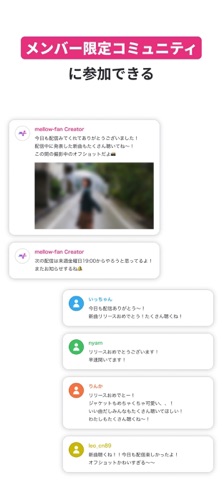


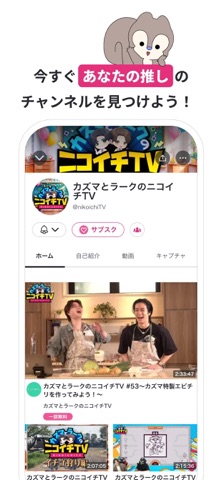
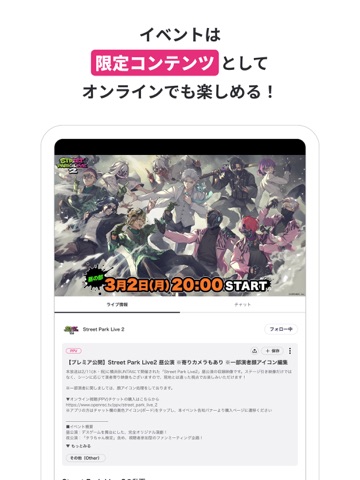
iPad screenshots



Icon palette
About this app
mellow-fan(メローファン)は、「心地よい空間をファンとみんなで創っていく」をコンセプトに、お気に入りの配信者(クリエイター)のライブ配信や動画を楽しみながら、熱量高く応援できるファンコミュニティアプリです。 《mellow-fanの主な特徴》 ■ライブ配信・動画 リアルタイムのライブ配信や過去の動画を、好きなタイミングで視聴できます。 チャットやスタンプを通じて、クリエイターやファン同士の交流も楽しめます。 ■クリエイターを応援 お気に入りのクリエイターを応援しながら、特別な体験を楽しめます。 あなたの応援がクリエイターの活動を支えます。 《エール機能》 エール機能は、動画配信を視聴しているユーザーがクリエイターを応援することができる有料機能で、mellowポイントを購入することで利用することができます。エールを送信することで、一定時間チャット画面上にそのメッセージが掲載されます。また、そのライブ配信中に最も多くのエールを送ったユーザーは、チャット上に独占してメッセージを掲載することができます。 《mellowポイ…
App details
What you can learn from mellow-fan(メローファン)旧OPENREC.tv
Every shipping app on the App Store has gone through the same decisions you're working through right now: which screenshot goes first, what caption sits over it, which device frame to show, what color the background should be. The 16 screenshots above are mellow-fan(メローファン)旧OPENREC.tv's answers to those questions — they're public, they're real, and they made it through Apple's review.
What the numbers say: mellow-fan(メローファン)旧OPENREC.tv runs a light set with one background colour (#FCFCFC) carried across every screenshot — the listing reads as a single poster when the shots sit side by side in search results. The accent colour we picked up, #7C5CEC, is the one to reuse for badges, arrows and highlighted words if you borrow this look. Hit Use this style to open the editor with these exact colours and drop your own screenshot in.
Notice the first screenshot in particular. It's the one users see in search results and on the product page, and it's where most apps spend their best caption and tightest design. Look at the proportion of background to phone, where the text sits, what one thing the image is trying to communicate.
Want to see how other Entertainment apps approach the same problem? Browse more Entertainment apps in the showcase.
Take what works into your own screenshots
Open LaunchShots and design your App Store & Google Play screenshots — pick a device frame, drop captions, ship in minutes. Free, in your browser.
Open the screenshot editor →Apps with a similar look
Closest background + accent colours among the listings we've analysed — useful when you want to see the same palette handled by a different team.