Chart position — tracked daily by LaunchShots
Screenshot changes — detected by LaunchShots
Screenshot style breakdown
Sampled from 6 of 搜狗输入法-语音变声斗图表情's App Store screenshots — background, accent and theme, measured by LaunchShots (not something Apple publishes).
#F4F4FC bg
#D6D6DD
#3C84FC accent
#111111 text
Reading the caption text from the screenshots in your browser…
Screenshots
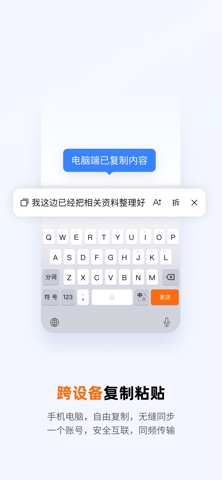
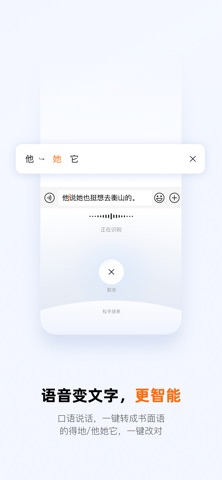

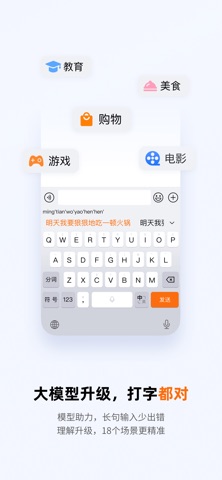


iPad screenshots


Icon palette
About this app
====== 炫酷功能 ====== ‣ 卓越拼音\语音\手写\笔画\文字扫描\跨屏输入 ‣ 词库强大、本地深度学习模型、流畅高效,搜狗总能懂你 ‣ 快捷分享图片\影音\资讯,让表达更简单 ‣ 炫动皮肤、DIY按键音\壁纸,键盘你做主 ‣ 随心定制皮肤背景、按键形状、动效、字体、按键音 ‣ 小字\花漾字\图片字,玩出文字花样 ‣ 全量Emoji\全类图形\标记\音标\字符\符号 ‣ 鲜萌颜文字,潮流弹幕\朋友圈\流行语 ‣ 热门表情、DIY斗图,不玩别人玩剩的 ===== 快捷小窍门 ===== 【移动光标】左右划键盘能方便地移动光标 【文字扫描】可以直接识别出照片中的文字 【点划输入】向上划能直接输入数字和符号 【手写注音】手写输入生僻字可以得到读音 【键盘手写】不用换到手写键盘,直接在拼音键盘写 【单手键盘】一秒切换大屏,方便单手操作 【闪光语录】热门流行语,自定义语录,助你花式表达 【滑行输入】手指不离键盘,行云流水快速输入 【韩语键盘】能换皮肤、发表情,사용을 환영합니다. 【开挂模式】三连发、说三遍、回声模式、聊天开挂,怼人更爽 ===== 常见问题解答 ===== 1、 App…
App details
What you can learn from 搜狗输入法-语音变声斗图表情
Every shipping app on the App Store has gone through the same decisions you're working through right now: which screenshot goes first, what caption sits over it, which device frame to show, what color the background should be. The 12 screenshots above are 搜狗输入法-语音变声斗图表情's answers to those questions — they're public, they're real, and they made it through Apple's review.
What the numbers say: 搜狗输入法-语音变声斗图表情 runs a light set with one background colour (#F4F4FC) carried across every screenshot — the listing reads as a single poster when the shots sit side by side in search results. The accent colour we picked up, #3C84FC, is the one to reuse for badges, arrows and highlighted words if you borrow this look. Hit Use this style to open the editor with these exact colours and drop your own screenshot in.
Notice the first screenshot in particular. It's the one users see in search results and on the product page, and it's where most apps spend their best caption and tightest design. Look at the proportion of background to phone, where the text sits, what one thing the image is trying to communicate.
Want to see how other Utilities apps approach the same problem? Browse more Utilities apps in the showcase.
Take what works into your own screenshots
Open LaunchShots and design your App Store & Google Play screenshots — pick a device frame, drop captions, ship in minutes. Free, in your browser.
Open the screenshot editor →Apps with a similar look
Closest background + accent colours among the listings we've analysed — useful when you want to see the same palette handled by a different team.