Chart position — tracked daily by LaunchShots
Screenshot style breakdown
Sampled from 4 of GDO前払い - ゴルフ場予約はWEB決済がおすすめ's App Store screenshots — background, accent and theme, measured by LaunchShots (not something Apple publishes).
#04C454 bg
#03AC49
#1C4C34 accent
#111111 text
Screenshots
Icon palette
About this app
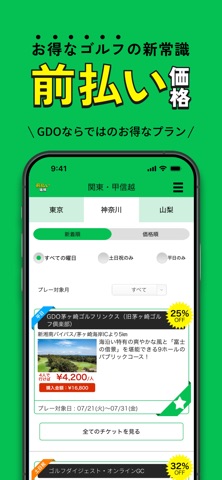
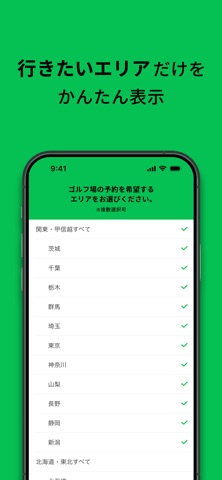
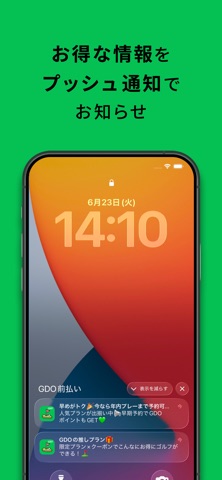
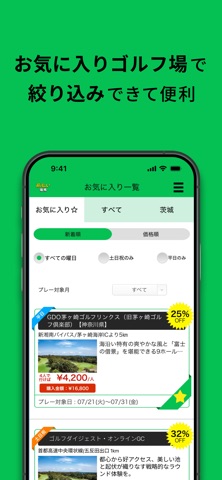
日本最大級!全国のゴルフ場を簡単予約できるGDO(ゴルフダイジェスト・オンライン)が提供する、ゴルフ場予約のWEB決済サービス 前払い価格(旧:HOT PRICE)。ここだけのお得な限定プランが満載!通常価格の50%OFFも。 WEB決済サービス【前払い価格】 ・WEB決済と同時にプレー予約が可能 ・WEB決済の時点で空き情報がCHECKできる ・クレジットカードで簡単決済 ◆ アプリだからこそできる! ◆ ・ゴルフに行きたいエリアだけをかんたん表示 ・GDO限定キャンペーンやお得なプラン情報もプッシュ配信 ◆ 前払い価格をもっと詳しく ◆ 前払い価格は、ゴルフ場の予約時にプレー代をWEB決済いただくことで、通常よりもお得に全国各地のゴルフ場を予約できるサービスです。プレー日が決まっていれば、WEB決済と同時に予約ができるので便利!もちろん、WEB決済後にプレー日の変更も可能です! ●なんでこんなに安いの? 1組分のプレー代を予約時にWEB決済いただく分、お得な料金が実現できました。制限として、WEB決済後のキャンセル・返品ができませんのでご注意ください。…
App details
What you can learn from GDO前払い - ゴルフ場予約はWEB決済がおすすめ
Every shipping app on the App Store has gone through the same decisions you're working through right now: which screenshot goes first, what caption sits over it, which device frame to show, what color the background should be. The 4 screenshots above are GDO前払い - ゴルフ場予約はWEB決済がおすすめ's answers to those questions — they're public, they're real, and they made it through Apple's review.
What the numbers say: GDO前払い - ゴルフ場予約はWEB決済がおすすめ runs a light set with one background colour (#04C454) carried across every screenshot — the listing reads as a single poster when the shots sit side by side in search results. The accent colour we picked up, #1C4C34, is the one to reuse for badges, arrows and highlighted words if you borrow this look. Hit Use this style to open the editor with these exact colours and drop your own screenshot in.
Notice the first screenshot in particular. It's the one users see in search results and on the product page, and it's where most apps spend their best caption and tightest design. Look at the proportion of background to phone, where the text sits, what one thing the image is trying to communicate.
Want to see how other Sports apps approach the same problem? Browse more Sports apps in the showcase.
Take what works into your own screenshots
Open LaunchShots and design your App Store & Google Play screenshots — pick a device frame, drop captions, ship in minutes. Free, in your browser.
Open the screenshot editor →Apps with a similar look
Closest background + accent colours among the listings we've analysed — useful when you want to see the same palette handled by a different team.