Chart position — tracked daily by LaunchShots
Screenshot style breakdown
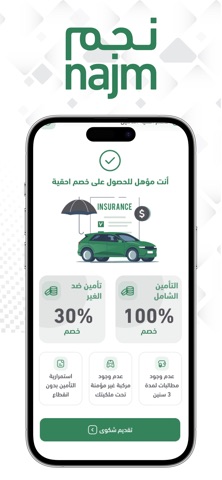
Sampled from 3 of Najm | نجم's App Store screenshots — background, accent and theme, measured by LaunchShots (not something Apple publishes).
#FCFCFC bg
#DDDDDD
#34845C accent
#111111 text
Screenshots


Icon palette
About this app
تقدم شركة نجم لخدمات التأمين التطبيق الإلكتروني للهواتف الذكية "نجم" والذى يمكن قائدي المركبات/عملاء شركات التأمين من الإستفادة من الخدمات التالية: - التبليغ عن الحوادث - تصوير موقع الحادث - متابعة حالة الحادث - معرفة الوقت المتوقع لوصول المحقق مع إمكانية معرفة و متابعة موقع المحقق بالخريطة - تتبع مسار تقرير الحادث - الإستعلام عن حالة وثائق التأمين - تحديد مواقع فروع نجم بالخريطة ومعلومات الإتصال - إرشادات ومعلومات تهمك وما يميز هذا التطبيق أنه يساعد بشكل مباشر في تسهيل عملية الإبلاغ عن الحادث المروري وسرعة وصول محقق نجم لموقع الحادث في زمن قياسى وذلك بتحديد موقع الحادث بشكل دقيق وتسجيل رقم الحادث بشكل آلي ومن ثم تعيين المحقق الأقرب آلياً. ومن الممكن أيضاً متابعة حالة الحادث بشكل مباشر إبتداءً من تبليغ الحادث وحتى وصول تقرير الحادث لشركة التأمين المعنية. ملاحظات : - يدعم التطبيق حالياً اللغتين العربية و الإنجليزية - التطبيق يخدم الحوادث الواقعة في نطاق تغطية شركة نجم د…
App details
What you can learn from Najm | نجم
Every shipping app on the App Store has gone through the same decisions you're working through right now: which screenshot goes first, what caption sits over it, which device frame to show, what color the background should be. The 3 screenshots above are Najm | نجم's answers to those questions — they're public, they're real, and they made it through Apple's review.
What the numbers say: Najm | نجم runs a light set with one background colour (#FCFCFC) carried across every screenshot — the listing reads as a single poster when the shots sit side by side in search results. The accent colour we picked up, #34845C, is the one to reuse for badges, arrows and highlighted words if you borrow this look. Hit Use this style to open the editor with these exact colours and drop your own screenshot in.
Notice the first screenshot in particular. It's the one users see in search results and on the product page, and it's where most apps spend their best caption and tightest design. Look at the proportion of background to phone, where the text sits, what one thing the image is trying to communicate.
Want to see how other Productivity apps approach the same problem? Browse more Productivity apps in the showcase.
Take what works into your own screenshots
Open LaunchShots and design your App Store & Google Play screenshots — pick a device frame, drop captions, ship in minutes. Free, in your browser.
Open the screenshot editor →Apps with a similar look
Closest background + accent colours among the listings we've analysed — useful when you want to see the same palette handled by a different team.