Chart position — tracked daily by LaunchShots
Screenshot style breakdown
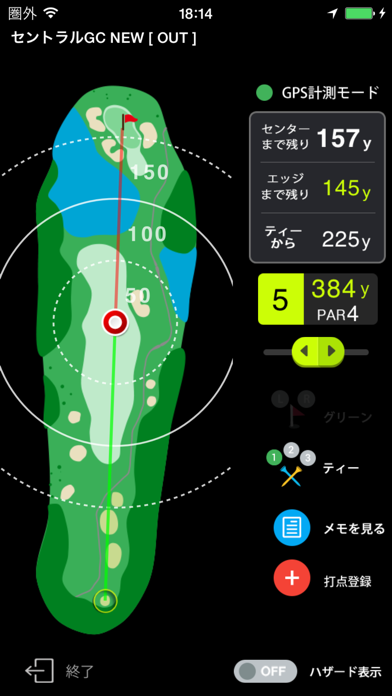
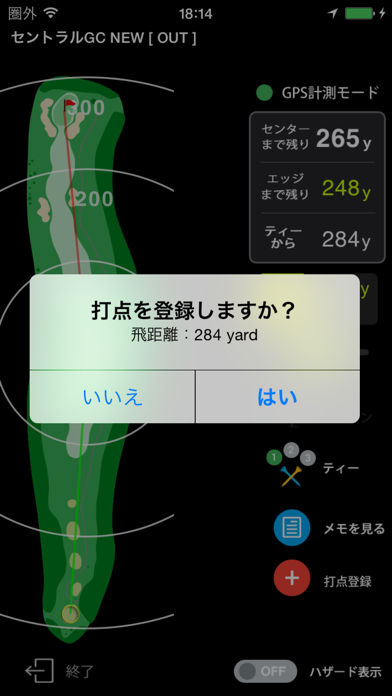
Sampled from 4 of ゴルフな日Su 【ゴルフナビ】-GPSマップで距離計測-'s App Store screenshots — background, accent and theme, measured by LaunchShots (not something Apple publishes).
#04B4F4 bg
#039ED6
#5CAC64 accent
#111111 text
Screenshots

Icon palette
About this app
ゴルフナビ GPS コース攻略アプリ『ゴルフな日Su』。 全国約2500コースのホールレイアウトを網羅した本格派のゴルフナビGPSアプリです。 ゴルフな日Suは、当社の従来アプリ(GOLFな日)と同様にゴルフナビ専用機(市販)に採用されているコースマップを使って、グリーンまでの残りヤード数やティーショットの際の飛距離等を計測する本格「ゴルフナビGPS」アプリとしてゴルファーの皆様を強力にサポートします。 ----------------------- ■無料コンテンツ&機能について ゴルフな日Suでは、無料にて以下のコンテンツ及び機能をご提供しております。 ゴルフ場情報 以下の情報は無料で閲覧頂けます。 ・ゴルフ場コース名 ・住所 ・電話番号 ・マップ ----------------------- ■プレミアム会員(月額コース)のご案内 ゴルフな日Suは、月額課金にて「プレミアム会員(月額コース)」にご契約頂くと更に便利にお使い頂ます。 ①GPS計測モード コース上のグリーンまでの残り距離をご確認頂けます。 また、コースマップデータにはグリーン奥・手前のエッジ迄の距離やバ…
App details
What you can learn from ゴルフな日Su 【ゴルフナビ】-GPSマップで距離計測-
Every shipping app on the App Store has gone through the same decisions you're working through right now: which screenshot goes first, what caption sits over it, which device frame to show, what color the background should be. The 4 screenshots above are ゴルフな日Su 【ゴルフナビ】-GPSマップで距離計測-'s answers to those questions — they're public, they're real, and they made it through Apple's review.
What the numbers say: ゴルフな日Su 【ゴルフナビ】-GPSマップで距離計測- runs a mixed light-and-dark set where the background shifts from screenshot to screenshot (first shot #04B4F4) — each image has to stand on its own, so the captions carry more of the story. The accent colour we picked up, #5CAC64, is the one to reuse for badges, arrows and highlighted words if you borrow this look. Hit Use this style to open the editor with these exact colours and drop your own screenshot in.
Notice the first screenshot in particular. It's the one users see in search results and on the product page, and it's where most apps spend their best caption and tightest design. Look at the proportion of background to phone, where the text sits, what one thing the image is trying to communicate.
Want to see how other Sports apps approach the same problem? Browse more Sports apps in the showcase.
Take what works into your own screenshots
Open LaunchShots and design your App Store & Google Play screenshots — pick a device frame, drop captions, ship in minutes. Free, in your browser.
Open the screenshot editor →Apps with a similar look
Closest background + accent colours among the listings we've analysed — useful when you want to see the same palette handled by a different team.