Chart position — tracked daily by LaunchShots
Screenshot style breakdown
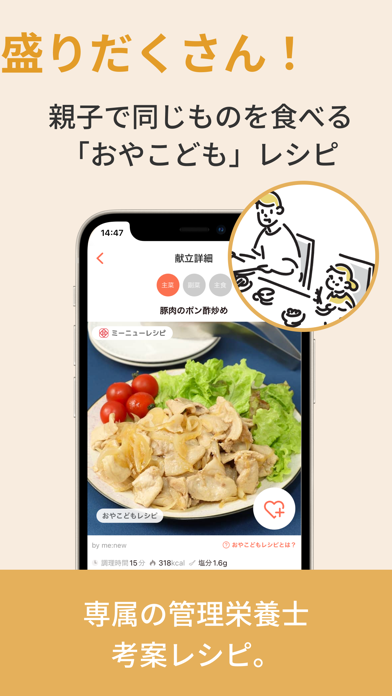
Sampled from 6 of 最長1週間の献立が簡単に作れるme:new(ミーニュー)'s App Store screenshots — background, accent and theme, measured by LaunchShots (not something Apple publishes).
#FCECDC bg
#DDCFC1
#FC6C54 accent
#111111 text
Reading the caption text from the screenshots in your browser…
Screenshots


iPad screenshots


Icon palette
About this app
◎献立が簡単に作れるから「何作ろう?」がなくなる! ◎買い物リストも自動作成で買い物もラクラク! ◎お子さんも食べやすい献立、別々に料理をする必要がなく時短! ◎ログインアドレスとパスワードを家族で決めたら、同時にどの端末からも入れるので 家族間で共有も可能! ◎多くの情報番組でもご紹介いただいています! ◆お客様の声 「作るものが決まっていると、こんなに楽なのかと驚いています」 「毎日の料理、買い物が楽になり、大幅な節約にもなっています!」 「子供も小さいので、一緒に食べられるレシピをかんがえてくれるなんて 嬉しすぎました」 ============================ me:new(ミーニュー)の4つの特徴 ============================ 【1】(最長)1週間分献立を簡単作成できるから「毎日、何作ろう?」がなくなる! ・お子さんの年齢に合わせた献立 ・好みに合わせた献立・栄養を考えた献立 ・自由にレシピの入替ができる ・冷蔵庫の残り物や特売で購入した食材で自動献立作成も可能 ・栄養素設定でもっと健康に 【2】「おやこども献立」…
App details
What you can learn from 最長1週間の献立が簡単に作れるme:new(ミーニュー)
Every shipping app on the App Store has gone through the same decisions you're working through right now: which screenshot goes first, what caption sits over it, which device frame to show, what color the background should be. The 16 screenshots above are 最長1週間の献立が簡単に作れるme:new(ミーニュー)'s answers to those questions — they're public, they're real, and they made it through Apple's review.
What the numbers say: 最長1週間の献立が簡単に作れるme:new(ミーニュー) runs a light set with one background colour (#FCECDC) carried across every screenshot — the listing reads as a single poster when the shots sit side by side in search results. The accent colour we picked up, #FC6C54, is the one to reuse for badges, arrows and highlighted words if you borrow this look. Hit Use this style to open the editor with these exact colours and drop your own screenshot in.
Notice the first screenshot in particular. It's the one users see in search results and on the product page, and it's where most apps spend their best caption and tightest design. Look at the proportion of background to phone, where the text sits, what one thing the image is trying to communicate.
Want to see how other Food & Drink apps approach the same problem? Browse more Food & Drink apps in the showcase.
Take what works into your own screenshots
Open LaunchShots and design your App Store & Google Play screenshots — pick a device frame, drop captions, ship in minutes. Free, in your browser.
Open the screenshot editor →Apps with a similar look
Closest background + accent colours among the listings we've analysed — useful when you want to see the same palette handled by a different team.