Chart position — tracked daily by LaunchShots
Screenshot changes — detected by LaunchShots
Screenshot style breakdown
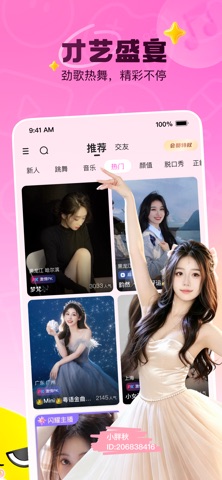
Sampled from 6 of 花椒直播-直播视频聊天语音交友软件's App Store screenshots — background, accent and theme, measured by LaunchShots (not something Apple publishes).
#FC7CCC bg
#DD6DB3
#FCF404 accent
#111111 text
Screenshots
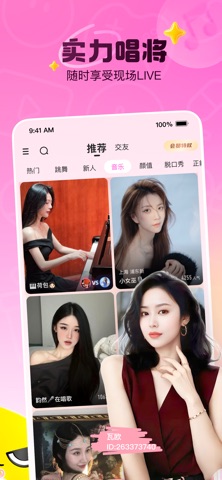

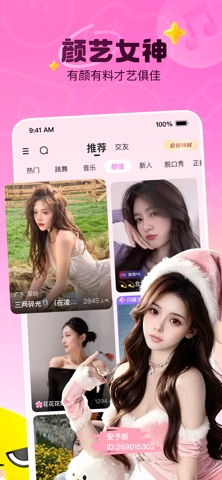
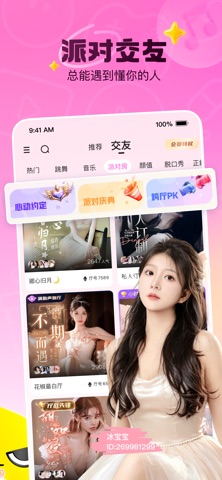
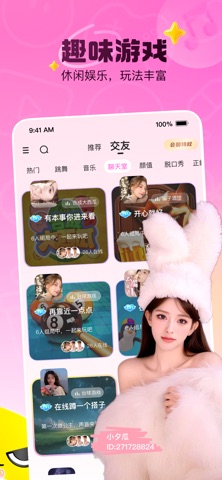
Icon palette
About this app
花椒直播,发现精彩互动内容。 在花椒直播,你可以观看丰富的直播内容,与主播和社区用户实时互动。这里有才艺表演、音乐演唱、户外分享、游戏互动、生活记录、语音房和短视频等多种内容形式,让每一次打开都有新的发现。 才艺、音乐、户外、游戏、生活、聊天等多类型直播内容持续更新,发现更多有趣主播和精彩瞬间。 通过评论、点赞、连麦、语音房等方式参与互动,和主播一起分享现场氛围。 加入不同主题的语音房,听声音、聊兴趣,轻松参与多人互动。 浏览短视频和动态内容,记录生活,分享有趣时刻,发现更多社区精彩。 体验 3D 虚拟形象、服装和配饰,打造个性化展示方式,参与更多互动玩法。 花椒直播重视社区安全与内容治理,提供内容审核、举报、拉黑等功能,共同维护友好、健康的互动环境。 - 花椒直播客服 - 有任何疑问,请随时与我们联系。 官方微信:huajiao_1 Apple Terms of Use (EULA): https://www.apple.com/legal/internet-services/itunes/dev/stdeula/
App details
What you can learn from 花椒直播-直播视频聊天语音交友软件
Every shipping app on the App Store has gone through the same decisions you're working through right now: which screenshot goes first, what caption sits over it, which device frame to show, what color the background should be. The 6 screenshots above are 花椒直播-直播视频聊天语音交友软件's answers to those questions — they're public, they're real, and they made it through Apple's review.
What the numbers say: 花椒直播-直播视频聊天语音交友软件 runs a light set with one background colour (#FC7CCC) carried across every screenshot — the listing reads as a single poster when the shots sit side by side in search results. The accent colour we picked up, #FCF404, is the one to reuse for badges, arrows and highlighted words if you borrow this look. Hit Use this style to open the editor with these exact colours and drop your own screenshot in.
Notice the first screenshot in particular. It's the one users see in search results and on the product page, and it's where most apps spend their best caption and tightest design. Look at the proportion of background to phone, where the text sits, what one thing the image is trying to communicate.
Want to see how other Social Networking apps approach the same problem? Browse more Social Networking apps in the showcase.
Take what works into your own screenshots
Open LaunchShots and design your App Store & Google Play screenshots — pick a device frame, drop captions, ship in minutes. Free, in your browser.
Open the screenshot editor →Apps with a similar look
Closest background + accent colours among the listings we've analysed — useful when you want to see the same palette handled by a different team.