Chart position — tracked daily by LaunchShots
Screenshot changes — detected by LaunchShots
Screenshot style breakdown
Sampled from 6 of abceed: TOEIC®・英語学習・英検・英会話アプリ's App Store screenshots — background, accent and theme, measured by LaunchShots (not something Apple publishes).
#F43C54 bg
#F5576B
#A47C3C accent
#FFFFFF text
Reading the caption text from the screenshots in your browser…
Screenshots


iPad screenshots



Icon palette
About this app
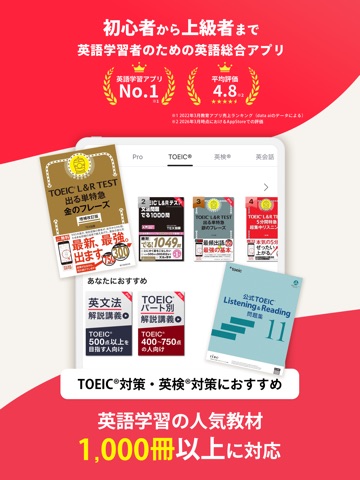
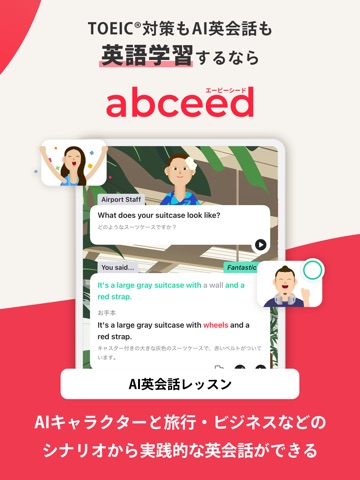
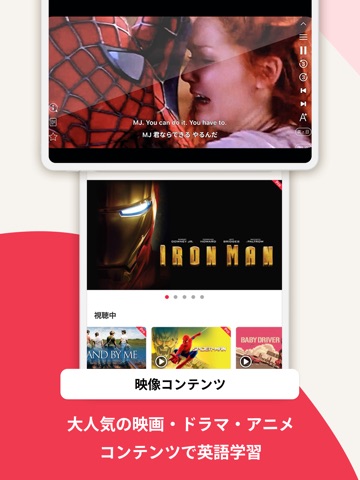
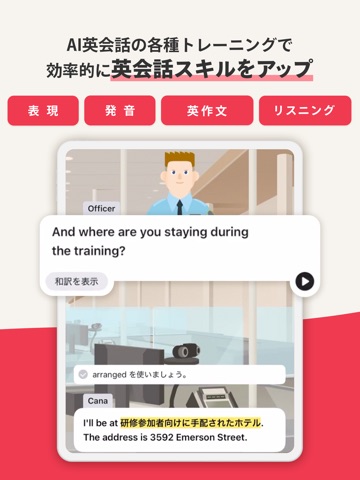
◆ AI英会話・スピーキングからTOEIC®・英検®対策まで ◆ 英語学習はこれひとつでOK!◇ 満足度No.1(星4.8)!600万人が選ぶAI英語学習アプリ ◇ 「英語を話せるようになりたいけれど、一歩が踏み出せない」 「試験のスコアはあるのに、英会話に自信がない」 そんな悩みを、最新のAI技術と1,000冊以上の人気教材を掛け合わせた【abceed】が解決します。 【abceedが選ばれる理由】 圧倒的な高評価: App Store平均星4.8。ユーザー満足度で選ばれている安心感。 AI英会話が話し放題: 24時間いつでも、気兼ねなくスピーキングの練習が可能。 映画や人気教材で学ぶ: 映画の生きたフレーズや、ベストセラー教材をこれ一つに集約。 主な機能 - あなたの英語学習を完全サポート ◆ AI英会話(スピーキング) - “話す”自信がつく リアルな会話シナリオ: 自己紹介・旅行・ビジネス・会議・プレゼンまで、豊富なシーンを搭載。 高精度な発音評価: AIがあなたの発音を瞬時にフィードバック。正しい発音が身につくまで何度でも練習可能。 映画・ニュース学習: 映画のワンシーンや最…
App details
What you can learn from abceed: TOEIC®・英語学習・英検・英会話アプリ
Every shipping app on the App Store has gone through the same decisions you're working through right now: which screenshot goes first, what caption sits over it, which device frame to show, what color the background should be. The 14 screenshots above are abceed: TOEIC®・英語学習・英検・英会話アプリ's answers to those questions — they're public, they're real, and they made it through Apple's review.
What the numbers say: abceed: TOEIC®・英語学習・英検・英会話アプリ runs a mixed light-and-dark set where the background shifts from screenshot to screenshot (first shot #F43C54) — each image has to stand on its own, so the captions carry more of the story. The accent colour we picked up, #A47C3C, is the one to reuse for badges, arrows and highlighted words if you borrow this look. Hit Use this style to open the editor with these exact colours and drop your own screenshot in.
Notice the first screenshot in particular. It's the one users see in search results and on the product page, and it's where most apps spend their best caption and tightest design. Look at the proportion of background to phone, where the text sits, what one thing the image is trying to communicate.
Want to see how other Education apps approach the same problem? Browse more Education apps in the showcase.
Take what works into your own screenshots
Open LaunchShots and design your App Store & Google Play screenshots — pick a device frame, drop captions, ship in minutes. Free, in your browser.
Open the screenshot editor →Apps with a similar look
Closest background + accent colours among the listings we've analysed — useful when you want to see the same palette handled by a different team.