Chart position — tracked daily by LaunchShots
Screenshot style breakdown
Sampled from 4 of WELearn随行课堂's App Store screenshots — background, accent and theme, measured by LaunchShots (not something Apple publishes).
#F4F4FC bg
#D6D6DD
#0CCCDC accent
#111111 text
Screenshots


iPad screenshots



Icon palette
About this app
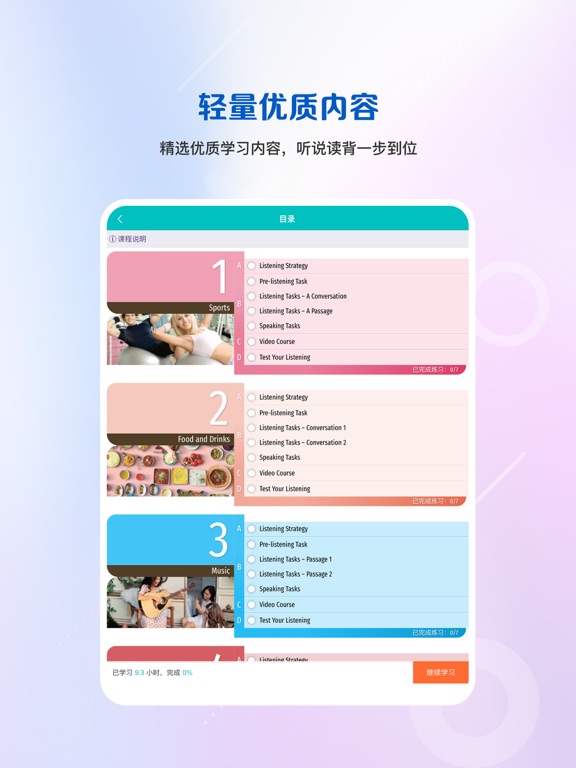
“WE Learn”是一款集在线课程、学习资源、学习服务于一体的互动式自主学习软件。该应用充分利用移动平台特点,结合上海外语教育出版社权威教材资源,为学习者提供涵盖听、说、读、写、译等多维度技能训练平台。应用设计强调学习者的主体地位,学习者获取知识不再是单向灌输的过程,而是在与应用、与同学、与教师之间交流、协作、竞赛过程中自我建构、自我内化的过程。该应用主要实现以下功能: (1)提供移动课程包在线学习功能,应用实时记录用户学习结果,生成学习报告。 (2)支持扫描教师发布的任务二维码快速跳转至对应内容学习。 (3)简单有效的学习笔记、发布问答功能,方便学习者记录和分享自己的观点。 (4)内置英语跟读自动评分引擎,实现口语跟读自主训练。 (5)集成作文智能评分引擎,实现作文题自我练习、自我诊断,不断提高写作水平。 上海外语教育出版社有限公司出品 上海外教社信息技术有限公司制作 ©上海外语教育出版社 2026 版权所有 翻版必究 联系我们 技术支持:service@sflep.com
App details
What you can learn from WELearn随行课堂
Every shipping app on the App Store has gone through the same decisions you're working through right now: which screenshot goes first, what caption sits over it, which device frame to show, what color the background should be. The 8 screenshots above are WELearn随行课堂's answers to those questions — they're public, they're real, and they made it through Apple's review.
What the numbers say: WELearn随行课堂 runs a light set with one background colour (#F4F4FC) carried across every screenshot — the listing reads as a single poster when the shots sit side by side in search results. The accent colour we picked up, #0CCCDC, is the one to reuse for badges, arrows and highlighted words if you borrow this look. Hit Use this style to open the editor with these exact colours and drop your own screenshot in.
Notice the first screenshot in particular. It's the one users see in search results and on the product page, and it's where most apps spend their best caption and tightest design. Look at the proportion of background to phone, where the text sits, what one thing the image is trying to communicate.
Want to see how other Education apps approach the same problem? Browse more Education apps in the showcase.
Take what works into your own screenshots
Open LaunchShots and design your App Store & Google Play screenshots — pick a device frame, drop captions, ship in minutes. Free, in your browser.
Open the screenshot editor →Apps with a similar look
Closest background + accent colours among the listings we've analysed — useful when you want to see the same palette handled by a different team.