Chart position — tracked daily by LaunchShots
Screenshot changes — detected by LaunchShots
Screenshot style breakdown
Sampled from 3 of Librus's App Store screenshots — background, accent and theme, measured by LaunchShots (not something Apple publishes).
#FCFCFC bg
#DDDDDD
#5434B4 accent
#111111 text
Screenshots


iPad screenshots


Icon palette
About this app
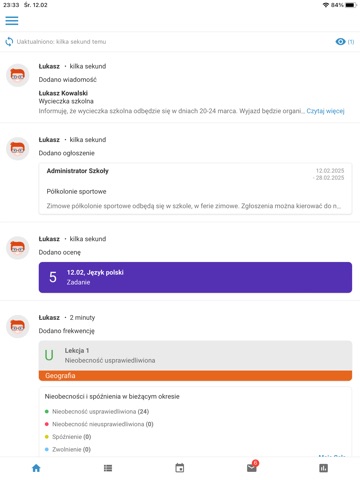
Aplikacja mobilna Librus na smartfony i tablety przeznaczona jest dla rodziców i uczniów. Umożliwia użytkownikom przeglądanie najważniejszych informacji z rozwiązania LIBRUS Synergia. Nowy, bardziej przejrzysty interfejs oraz widok Oś czasu sprawią, że korzystanie z aplikacji jest szybkie i wygodne. Z aplikacją Librus, możesz: • monitorować postępy w nauce dzięki modułowi Oceny, • sprawdzić nieobecności i spóźnienia, • mieć stały kontakt ze szkołą dzięki funkcji Wiadomości, • sprawdzać zadania domowe, • monitorować najważniejsze wydarzenia i informacje zebrane w jednym widoku Biurko, • sprawdzać plan lekcji, wprowadzane do niego zmiany oraz zastępstwa, • mieć wgląd do aktualnego kalendarza szkolnego oraz ogłoszeń, • być na bieżąco dzięki odświeżaniu danych w czasie rzeczywistym, • wyciszyć powiadomienia aplikacji w godzinach nocnych dzięki funkcji LIBRUS® spokojna noc, • przełączać s…
App details
What you can learn from Librus
Every shipping app on the App Store has gone through the same decisions you're working through right now: which screenshot goes first, what caption sits over it, which device frame to show, what color the background should be. The 6 screenshots above are Librus's answers to those questions — they're public, they're real, and they made it through Apple's review.
What the numbers say: Librus runs a light set with one background colour (#FCFCFC) carried across every screenshot — the listing reads as a single poster when the shots sit side by side in search results. The accent colour we picked up, #5434B4, is the one to reuse for badges, arrows and highlighted words if you borrow this look. Hit Use this style to open the editor with these exact colours and drop your own screenshot in.
Notice the first screenshot in particular. It's the one users see in search results and on the product page, and it's where most apps spend their best caption and tightest design. Look at the proportion of background to phone, where the text sits, what one thing the image is trying to communicate.
Want to see how other Education apps approach the same problem? Browse more Education apps in the showcase.
Take what works into your own screenshots
Open LaunchShots and design your App Store & Google Play screenshots — pick a device frame, drop captions, ship in minutes. Free, in your browser.
Open the screenshot editor →Apps with a similar look
Closest background + accent colours among the listings we've analysed — useful when you want to see the same palette handled by a different team.