Chart position — tracked daily by LaunchShots
Screenshot changes — detected by LaunchShots
Screenshot style breakdown
Sampled from 5 of Visual Drive's App Store screenshots — background, accent and theme, measured by LaunchShots (not something Apple publishes).
#FCFCFC bg
#DDDDDD
#346C64 accent
#111111 text
Screenshots




Icon palette
About this app
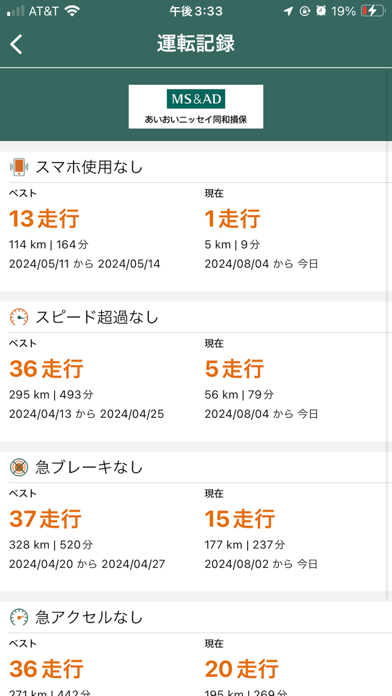
Visual Driveはあなたの運転をフィードバックし、より安全なドライバーとなる手助けをします。 Visual Driveは自動的に運転開始と運転終了を検知し、スマートフォン内のセンサーによってあなたがどのような運転をしているのかを測ります。バッテリー消費を抑えるため、低電力センシングを使用しています。このアプリは、あなたの走行記録の概要・詳細の表示、そしてあなたに役立つフィードバックをします。また、あなたの運転を低電力で記録する働きもあります。 現在のバージョンはVisual Driveのタグ端末とリンクしています。タグはスムーズにアプリとリンクし、あなたの走行を正確に記録します。Visual Driveのタグを使用するにはスマートフォンとのBluetooth接続が必要です。 Visual Driveはバックグラウンドで作動し、GPSによる位置情報を使用します。GPSをバックグラウンドで作動し続けると、著しくバッテリーを消耗する恐れがあります。 Visual Driveは当社のお客様向けアプリです。適格要件を確認すべく、メールアドレス、名前、携帯番号の入力をお願い申…
App details
What you can learn from Visual Drive
Every shipping app on the App Store has gone through the same decisions you're working through right now: which screenshot goes first, what caption sits over it, which device frame to show, what color the background should be. The 5 screenshots above are Visual Drive's answers to those questions — they're public, they're real, and they made it through Apple's review.
What the numbers say: Visual Drive runs a mixed light-and-dark set where the background shifts from screenshot to screenshot (first shot #FCFCFC) — each image has to stand on its own, so the captions carry more of the story. The accent colour we picked up, #346C64, is the one to reuse for badges, arrows and highlighted words if you borrow this look. Hit Use this style to open the editor with these exact colours and drop your own screenshot in.
Notice the first screenshot in particular. It's the one users see in search results and on the product page, and it's where most apps spend their best caption and tightest design. Look at the proportion of background to phone, where the text sits, what one thing the image is trying to communicate.
Want to see how other Navigation apps approach the same problem? Browse more Navigation apps in the showcase.
Take what works into your own screenshots
Open LaunchShots and design your App Store & Google Play screenshots — pick a device frame, drop captions, ship in minutes. Free, in your browser.
Open the screenshot editor →Apps with a similar look
Closest background + accent colours among the listings we've analysed — useful when you want to see the same palette handled by a different team.