Screenshot changes — detected by LaunchShots
Screenshot style breakdown
Sampled from 5 of Mis.zine -视频照片拼贴Zine杂志创作's App Store screenshots — background, accent and theme, measured by LaunchShots (not something Apple publishes).
#FCFCFC bg
#DDDDDD
#34645C accent
#111111 text
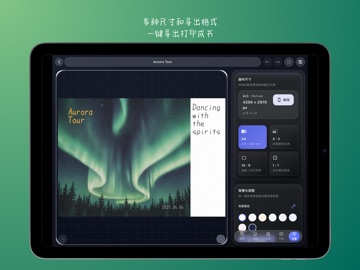
Screenshots


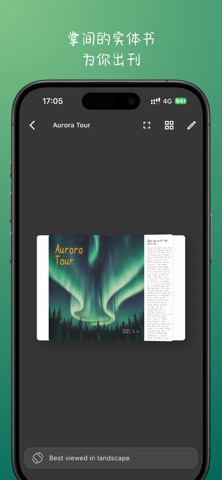
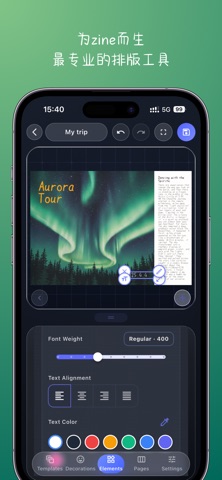
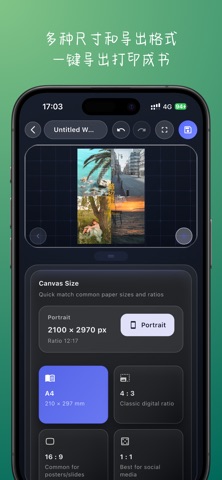
iPad screenshots
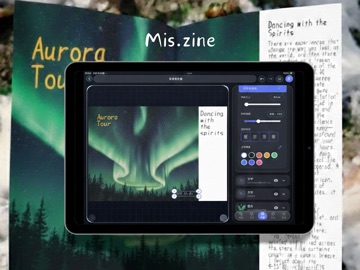


Icon palette
About this app
「Mis.zine」是一个专属于你的创作空间,也是一个能轻松制作精美小册子的工具。 你可以把它当作: • 私人的记忆抽屉:安放一张随手拍、一段随笔、一张票根。所有零碎而真实的瞬间,都值得被收藏。 • 情绪的整理本:无需公开,只为自我和解。把说不清的感受,通过排版与图文,温柔地梳理成册。 • 你的第一本书:给记忆以实体。看着散落的日常,变成一本有厚度、有封面的书。 在这里,你能轻松做到: • 像做手账一样排版:拖拽之间,诞生杂志般的版面。无需设计基础,专注你的故事。 • 完成一次温柔的回溯:在整理与编辑中,重新发现那些被忽略的日常,原来它们连在一起如此独特。 • 搭建你的主题书架:不止一本,而是为一个阶段、一次旅行、一种心情,创作一个完整的系列。 • 分享更深层的故事:将那些细腻的、不常展示的B面,制成小书,分享给真正懂的人。 Mis,即“偏离”。 我们相信,正是那些未曾预设的轨迹,构成了最真实的故事。 欢迎来到你的主编室。
App details
What you can learn from Mis.zine -视频照片拼贴Zine杂志创作
Every shipping app on the App Store has gone through the same decisions you're working through right now: which screenshot goes first, what caption sits over it, which device frame to show, what color the background should be. The 10 screenshots above are Mis.zine -视频照片拼贴Zine杂志创作's answers to those questions — they're public, they're real, and they made it through Apple's review.
What the numbers say: Mis.zine -视频照片拼贴Zine杂志创作 runs a mixed light-and-dark set where the background shifts from screenshot to screenshot (first shot #FCFCFC) — each image has to stand on its own, so the captions carry more of the story. The accent colour we picked up, #34645C, is the one to reuse for badges, arrows and highlighted words if you borrow this look. Hit Use this style to open the editor with these exact colours and drop your own screenshot in.
Notice the first screenshot in particular. It's the one users see in search results and on the product page, and it's where most apps spend their best caption and tightest design. Look at the proportion of background to phone, where the text sits, what one thing the image is trying to communicate.
Want to see how other Graphics & Design apps approach the same problem? Browse more Graphics & Design apps in the showcase.
Take what works into your own screenshots
Open LaunchShots and design your App Store & Google Play screenshots — pick a device frame, drop captions, ship in minutes. Free, in your browser.
Open the screenshot editor →Apps with a similar look
Closest background + accent colours among the listings we've analysed — useful when you want to see the same palette handled by a different team.