Chart position — tracked daily by LaunchShots
Screenshot changes — detected by LaunchShots
Screenshot style breakdown
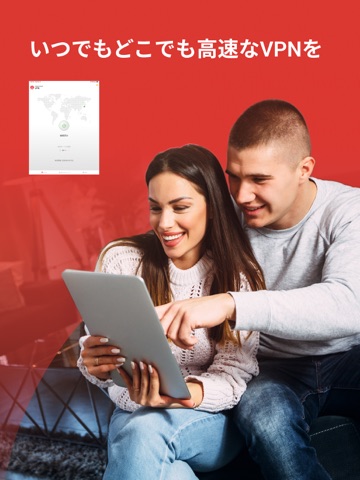
Sampled from 6 of トレンドマイクロ VPN: Wi-Fiの安全セキュリティ対策's App Store screenshots — background, accent and theme, measured by LaunchShots (not something Apple publishes).
#FCFCFC bg
#DDDDDD
#DC1C24 accent
#111111 text
Screenshots


iPad screenshots


Icon palette
About this app
「トレンドマイクロ VPN」 は、日本に本社を置く、サイバーセキュリティ専門企業 トレンドマイクロ の提供するVPNアプリです。インターネット利用時の通信を暗号化し、あなたの大切な情報やプライバシーを守ります。 まずは7日間無料体験 * * 体験版終了後に有償版を購入されない限り、自動的に課金はされません 【このアプリでできること】 1. 大切な情報を守る 通信の暗号化により、第三者や犯罪者に通信内容を盗み見されたり、不正アクセスされるなどのリスクから、あなたの大切なデータや個人情報を守ります。オンラインショッピングや、銀行取引も安心して利用できます。 2. プライバシーを守る VPNに接続して通信をすることで、匿名性を保ってインターネットを利用できます。あなたのデータやインターネット上の利用履歴などが、第三者に監視や追跡されるのを防いだり、アクセス元の国や端末情報を隠すことで、プライバシーを保護します。 3. 危険なWi-Fi接続から守る 接続中のWi-Fiに、通信内容が盗み見されるなどの危険性がないかチェック。危険な場…
App details
What you can learn from トレンドマイクロ VPN: Wi-Fiの安全セキュリティ対策
Every shipping app on the App Store has gone through the same decisions you're working through right now: which screenshot goes first, what caption sits over it, which device frame to show, what color the background should be. The 17 screenshots above are トレンドマイクロ VPN: Wi-Fiの安全セキュリティ対策's answers to those questions — they're public, they're real, and they made it through Apple's review.
What the numbers say: トレンドマイクロ VPN: Wi-Fiの安全セキュリティ対策 runs a light set with one background colour (#FCFCFC) carried across every screenshot — the listing reads as a single poster when the shots sit side by side in search results. The accent colour we picked up, #DC1C24, is the one to reuse for badges, arrows and highlighted words if you borrow this look. Hit Use this style to open the editor with these exact colours and drop your own screenshot in.
Notice the first screenshot in particular. It's the one users see in search results and on the product page, and it's where most apps spend their best caption and tightest design. Look at the proportion of background to phone, where the text sits, what one thing the image is trying to communicate.
Want to see how other Productivity apps approach the same problem? Browse more Productivity apps in the showcase.
Take what works into your own screenshots
Open LaunchShots and design your App Store & Google Play screenshots — pick a device frame, drop captions, ship in minutes. Free, in your browser.
Open the screenshot editor →Apps with a similar look
Closest background + accent colours among the listings we've analysed — useful when you want to see the same palette handled by a different team.