Chart position — tracked daily by LaunchShots
Screenshot style breakdown
Sampled from 5 of E听说中学's App Store screenshots — background, accent and theme, measured by LaunchShots (not something Apple publishes).
#F4FCFC bg
#D6DDDD
#344C6C accent
#111111 text
Screenshots

Icon palette
About this app
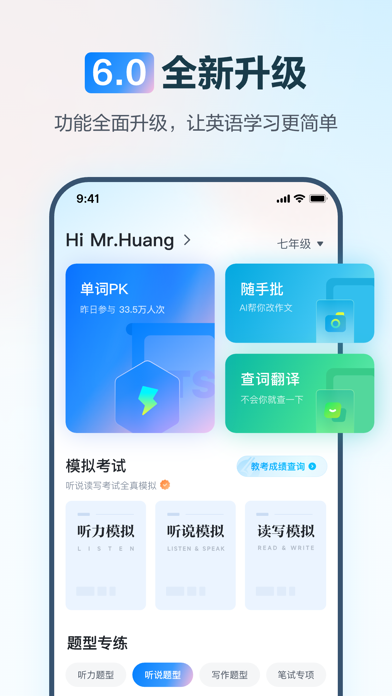
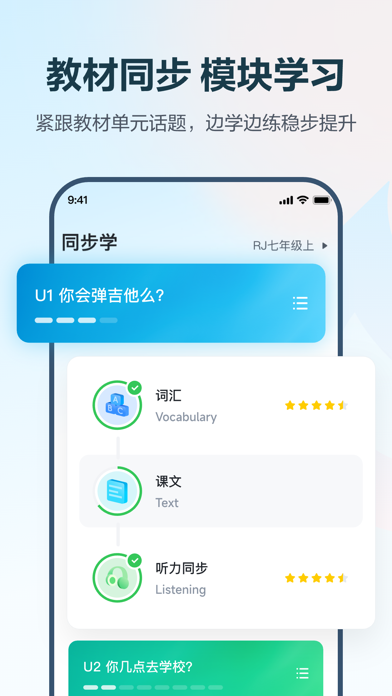
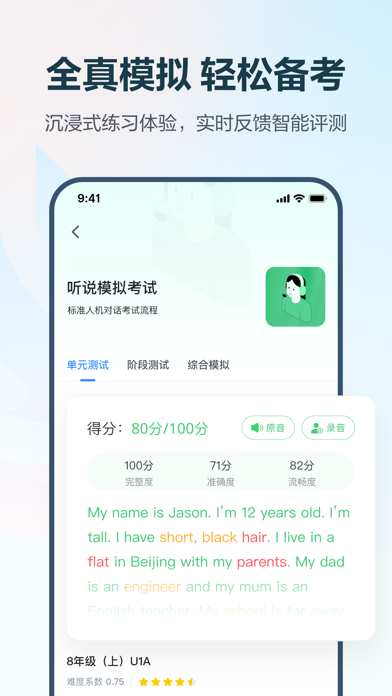
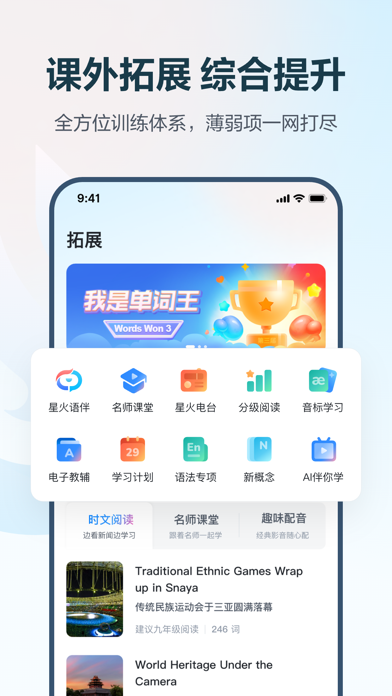
E听说,让英语学习更简单 一、产品介绍 E听说中学,是一款基于语音测评的中学英语“听说读写”创新学习空间产品,依照考纲、教材、话题定制内容资源,按照中高考标准提供听说人机对话测评和手写作文智能批改,运用三段三步教学法,帮助中学生提高英语语用能力和学科核心素养。 二、教学理念:三段三步教学 三段: 单元同步:课文朗读、听说同步、趣味配音、单元测试、同步词汇 阶段复习:解题技巧、阶段测试、专项训练、综合模拟、听说课堂 寒暑巩固:分级阅读、趣味配音、假期作业 三步: 模块教学:教师知识讲解、解题技巧剖析、学生自主学习 布置作业:布置作业考试、学生学情分析、教师自主组卷 错题巩固:学生订正错题、教师布置错题 三、内容模块 1、单元同步 (1)音标学习:闯关式趣味设计,练好发音基础,获得初步的语音意识 (2)课文朗读/跟读:模块化巩固单元知识,朗读/跟读智能评分,模仿良好的发音习惯,帮助形成语感 (3)听说/听力同步:与主流教材单元主题同步的听说/听力训练,培养系统的听说策略 (4)读写同步:与教材同步,紧跟单元话题知识…
App details
What you can learn from E听说中学
Every shipping app on the App Store has gone through the same decisions you're working through right now: which screenshot goes first, what caption sits over it, which device frame to show, what color the background should be. The 5 screenshots above are E听说中学's answers to those questions — they're public, they're real, and they made it through Apple's review.
What the numbers say: E听说中学 runs a light set with one background colour (#F4FCFC) carried across every screenshot — the listing reads as a single poster when the shots sit side by side in search results. The accent colour we picked up, #344C6C, is the one to reuse for badges, arrows and highlighted words if you borrow this look. Hit Use this style to open the editor with these exact colours and drop your own screenshot in.
Notice the first screenshot in particular. It's the one users see in search results and on the product page, and it's where most apps spend their best caption and tightest design. Look at the proportion of background to phone, where the text sits, what one thing the image is trying to communicate.
Want to see how other Education apps approach the same problem? Browse more Education apps in the showcase.
Take what works into your own screenshots
Open LaunchShots and design your App Store & Google Play screenshots — pick a device frame, drop captions, ship in minutes. Free, in your browser.
Open the screenshot editor →Apps with a similar look
Closest background + accent colours among the listings we've analysed — useful when you want to see the same palette handled by a different team.